Ways to Stand Out on Upwork: A Step-by-Step Freelancer Guide
If you are competing on Upwork, you are not just competing on price. You are competing on clarity, proof, and how quickly a client can trust you. Most freelancers lose opportunities because their profile and proposals look like everyone else’s: generic claims, weak positioning, and no friction-free path for a client to say “yes.”
This guide covers practical ways to stand out on Upwork using a repeatable system. You will improve your profile, create a proof-based portfolio, write proposals that match what clients actually scan for, and build a workflow that helps you respond fast without sounding templated.
Table of Contents
- Quick Summary
- Step 1: Pick a clear positioning (so clients know why you)
- Step 2: Build a client-first profile that earns trust
- Step 3: Create proof with a portfolio that matches buyer intent
- Step 4: Write proposals that get read and get replies
- Step 5: Price and package for confidence (not confusion)
- Step 6: Respond like a pro during messages and interviews
- Step 7: Build a simple system to scale quality and speed
- Zenlance tie-in: Turn “good intent” into consistent execution
- Frequently Asked Questions
- Recommended
- Image Prompts and Metadata
- Backlink Opportunities
Quick Summary
| Key Insight | Explanation |
|---|---|
| Positioning beats “more skills” | Clients hire for outcomes. A narrow, outcome-led niche makes you memorable and easier to trust. |
| Your profile should answer buyer questions | Shift from “about me” to “how I help you,” supported by specifics and examples. |
| Proof wins over promises | Case studies, samples, and measurable before/after results reduce client risk. |
| Proposals are scanned, not read | Open with relevance, mirror the job post, and make the next step obvious. |
| Systems help you respond faster | Templates are useful only if they still feel personal; use structured inputs to tailor quickly. |
| Client experience drives repeat work | Clear milestones, proactive updates, and good documentation create referrals and long-term value. |
Step 1: Pick a clear positioning (so clients know why you)
One of the most effective ways to stand out on Upwork is to stop trying to look like “a flexible generalist” and start looking like “the obvious choice for a specific outcome.” Clients do not search Upwork for a person. They search for a solution, under time pressure, with uncertainty about quality.
Positioning is how you reduce that uncertainty. A strong position makes your profile headline, overview, and proposal feel aligned. It also makes it easier to select the right jobs and say “no” to mismatched ones.
- Choose an audience: e.g., SaaS startups, Shopify stores, local service businesses, B2B agencies.
- Choose an outcome: e.g., “increase demo bookings,” “improve Core Web Vitals,” “launch a brand identity in 10 days.”
- Choose a deliverable: e.g., “landing page redesign,” “monthly bookkeeping,” “Webflow build,” “email sequences.”
- Choose a differentiator: e.g., speed, industry expertise, process, compliance, tool stack, bilingual support.
- Translate skills into results: don’t list tools; describe what those tools enable.
Rule of thumb: If a client can copy your headline and paste it into 50 other profiles without changing anything, your positioning is too broad.
Pro tip: Use a two-line “positioning statement” as your filter before applying. If a job does not fit it, do not apply. This keeps your proposals tighter and improves your response rate.
Step 2: Build a client-first profile that earns trust
Your profile is not your resume. It is a sales page that must answer: “Can you solve my problem, and can I trust you?” Upwork also provides guidance on building and enhancing profiles and on what strong profiles tend to include, such as complete sections, clear language, and proof elements.
Start by making your profile “client-first.” Upwork’s own guidance emphasizes building a solid profile foundation and showing relevant examples rather than writing vague summaries about yourself (Upwork: profile essentials; Upwork: examples of great profiles).
Profile checklist (high-impact changes)
- Title: outcome + niche + deliverable (not just “Developer” or “Designer”).
- Overview opening: the first 2–3 lines should mirror client intent and the jobs you apply to most.
- Specialized profiles: create separate narratives for different service lines (if you offer more than one).
- Portfolio alignment: show 4–8 pieces that match your target jobs, not your entire history.
- Credibility signals: certifications, platform badges, client testimonials, and relevant tools/process.
- Complete your profile: aim for a fully filled profile and keep it updated (Upwork includes guidance on completing profiles).
Pro tip: Replace “I am a hard-working freelancer” language with specific, verifiable statements: timelines you typically hit, what inputs you need, what outputs clients receive, and what results you have delivered.

Write an overview that reads like a decision helper
A practical structure:
- Line 1: Who you help + outcome.
- Line 2: How you deliver it (method or process).
- Line 3: Proof (results, representative clients, or a concrete mini-case).
- Line 4: Next step (what to message you with).
Example format (adapt it to your work): “I help Shopify brands reduce cart abandonment by improving checkout UX and performance. Typical deliverables include a checkout audit, prioritized fixes, and A/B test recommendations. Recent work: improved mobile checkout completion with targeted friction removal and speed fixes. Message me your store URL and your goal for the next 30 days.”
Make your profile more “helpful content” than “self-promotion”
Google’s guidance on creating helpful, reliable, people-first content emphasizes demonstrating experience and trustworthiness (E-E-A-T) through specifics, transparency, and usefulness. These same principles work in a marketplace profile: show what you know, how you work, and what outcomes you produce (Google Search Central: helpful content; Google: E-E-A-T update).
Step 3: Create proof with a portfolio that matches buyer intent
Many freelancers treat their portfolio like a gallery. Clients treat it like risk reduction. The goal is not to show everything you have done. The goal is to show what you will do for this client, in this category, with outcomes that look familiar.
If you do not have client work yet, you can still build proof using:
- Spec projects: realistic project simulations for a target niche.
- Before/after breakdowns: show what you changed and why.
- Mini case studies: problem → approach → deliverable → result (even if small).
- Process screenshots: how you track tasks, QA, testing, revisions, or analytics.
- Templates or frameworks: the deliverables clients will actually receive (audit sheet, brief, plan).
Pro tip: Build “portfolio sets” that correspond to the top 3 job types you apply to. This makes it easier to link a relevant sample inside proposals.
Use a simple case study format
- Context: what the client needed and what constraint existed (time, budget, tech stack).
- Scope: what you did (and did not do) to set expectations.
- Method: steps you followed; include tools only if they matter.
- Deliverables: what the client received.
- Outcome: measurable result if available, or a qualitative improvement tied to a goal.
Client-friendly proof is specific. Instead of “improved SEO,” describe the deliverable and the signal: “technical audit + fix list + implemented priority fixes; improved crawlability and reduced errors.”
Comparison table: weak vs. strong portfolio entries
| Portfolio Entry | Weak Version | Strong Version |
|---|---|---|
| Design | “Modern landing page design” | “SaaS landing page redesign to increase demo sign-ups; includes wireframes, final UI, mobile variants, and handoff notes.” |
| Development | “Built a website in React” | “React build with performance budget and accessibility checks; includes Lighthouse baseline and improvement notes.” |
| Writing | “Wrote blog posts” | “Content brief → outline → draft → optimization; includes internal link plan and update notes aligned to search intent.” |
| Marketing | “Managed ads” | “Audit + restructure + new creatives; weekly reporting and learning agenda tied to CPL and conversion rate.” |
Step 4: Write proposals that get read and get replies

Your proposal is your “moment of relevance.” It must quickly prove that you understand the job, that you have done similar work, and that you can guide the next step. Upwork’s own guidance notes that the best proposals are personalized, show clear project understanding, and highlight unique value (Upwork: anatomy of a winning proposal).
A common mistake is writing a long, generic pitch. Clients often scan the first lines and decide whether to continue. You need a structure that is brief but specific.
A proposal structure you can reuse (without sounding templated)
- 1) Relevance opener (1–2 lines): mirror the job post and name the outcome.
- 2) Understanding (2–3 bullets): restate the problem in your words; confirm constraints.
- 3) Approach (3–5 bullets): how you will solve it, in steps.
- 4) Proof: 1–2 short examples or links to relevant portfolio items.
- 5) Next step: ask one focused question and propose a call or first milestone.
What to avoid: repeating your entire profile, listing every skill you have, or starting with your life story. The proposal should be about the client’s job.
Pro tip: Use one “custom variable” per proposal that you cannot fake: a detail from their site, their app store listing, their existing ad creative, or a line in their job post. That single detail signals you are not mass applying.
Use specificity and personalization as the differentiator
Business writing guidance commonly highlights that specificity and personalization are what make proposals stand out. That applies directly to Upwork proposals: show that you wrote this for them, not for “any client” (HubSpot: how to write a business proposal).
Proposal checklist: what clients look for in 30 seconds
- Did you understand the task and constraints?
- Did you do similar work before (proof)?
- Do you have a clear plan and timeline?
- Is your communication easy to follow?
- Is the next step low-effort for them?
Mini-template (copy and tailor)
Opening: “You want [outcome] and you mentioned [constraint/tool]. I can help by [deliverable].”
Understanding:
- “Current state: [what they have now]”
- “Goal: [what success looks like]”
- “Constraint: [timeline/budget/stack]”
Plan:
- “Step 1: [diagnose/audit/brief]”
- “Step 2: [execute/build/write]”
- “Step 3: [QA/revisions/handoff]”
Proof: “Relevant sample: [link/portfolio item] (similar [niche/problem]).”
Next step: “If you share [one input], I can recommend the best first milestone and timeline.”
Step 5: Price and package for confidence (not confusion)
Standing out is not only about marketing. It is also about making it easy to buy. Many clients hesitate when the scope is unclear. Clear packages and milestones help clients understand what they are getting and reduce the risk of surprise costs.
Create “client-ready” packages
- Starter: a small, low-risk diagnostic (audit, brief, roadmap, first draft).
- Standard: the core deliverable (build, redesign, implementation, full writing set).
- Scale: ongoing support, reporting, optimization, or a monthly retainer.
Packages work when they reduce ambiguity. Your scope should be clear enough that a client can compare you to others without confusion.
Pro tip: If you quote hourly, still describe an outcome and a plan. Many clients prefer fixed outcomes even if the billing model is hourly.
Milestone table: example structure
| Milestone | Client Input Needed | Deliverable | Typical Time |
|---|---|---|---|
| 1) Discovery / Audit | Access, brief, examples | Findings + prioritized plan | 1–3 days |
| 2) Execution | Approvals, assets | Main build / draft / implementation | 3–10 days |
| 3) QA + Handoff | Feedback, final checks | Revisions + documentation | 1–3 days |
Step 6: Respond like a pro during messages and interviews
Many freelancers focus on “getting the reply,” then lose the job in messages because they either overwhelm the client or under-lead the process. Your goal in messages is to reduce friction and guide decision-making.
Messaging practices that signal reliability
- Ask fewer, better questions: 2–4 targeted questions beat 12 generic ones.
- Confirm success criteria: what does “done” look like to the client?
- Offer two options: “fast fix” vs. “full approach,” with tradeoffs.
- Use short summaries: recap the plan in 4–6 lines after a call.
- Document decisions: keep a simple list of what was agreed and what is next.
Clients hire calm leadership. The freelancer who can define the problem clearly and propose a next step often wins, even against more experienced competitors.
Pro tip: End each message with one clear next action. Example: “If you confirm X and share Y, I’ll start with the audit milestone and deliver the plan by Friday.”
Step 7: Build a simple system to scale quality and speed
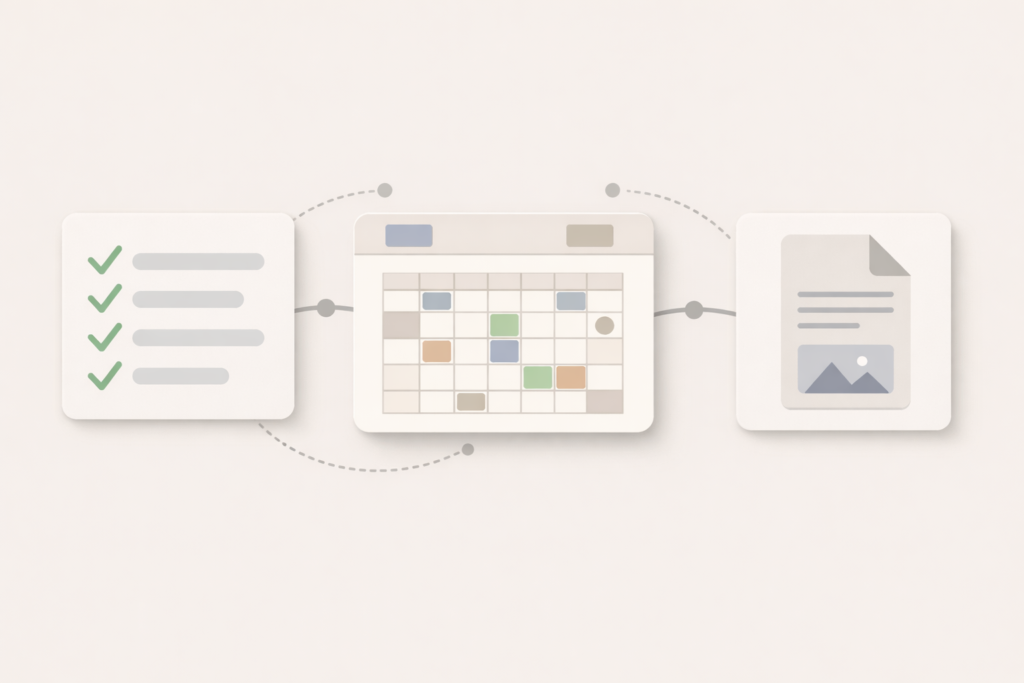
One of the underrated ways to stand out on Upwork is speed without sloppiness. Clients often post a job and receive many proposals quickly. If you can respond promptly with relevant specificity, you increase your chance of being shortlisted.
However, speed should not mean copy-paste. The solution is a system: reusable frameworks, checklists, and structured inputs that help you tailor fast.
A simple operating system for Upwork applications
- Job filter: define your “ideal job” criteria (budget, niche, deliverable, red flags).
- Intake notes: a short form you fill out from the job post (goal, constraints, risks, proof link).
- Proposal outline: the same structure every time, with variable sections.
- Proof library: a folder of 8–15 samples mapped to job types.
- Follow-up rule: one polite follow-up if the client is active but silent.
Systems create consistency. Consistency creates trust. Trust is what makes you stand out in a crowded market.
Pro tip: After every accepted contract, write a “win note” (what the client hired you for, what proof mattered, what objection you answered). Over time, your best messaging becomes obvious and repeatable.
Zenlance tie-in: Turn “good intent” into consistent execution
Most freelancers already know the basics: personalize proposals, show proof, and communicate clearly. The problem is consistency. When you are juggling multiple leads, different job types, and ongoing client work, it is easy to fall back into generic proposals, slow replies, and scattered notes.
Zenlance helps you standardize what works without making you sound automated. Use it to:
- Capture job post details in a structured way (so your proposals stay specific).
- Generate proposal drafts based on your services, proof library, and client goals.
- Maintain reusable checklists for discovery, delivery, QA, and handoff.
- Track conversations and follow-ups so leads do not slip.
- Keep client-ready deliverable templates in one place for faster execution.
If your goal is to apply less, win more, and spend less time rewriting the same messages, a workflow tool that supports repeatable quality can be a practical advantage.
Frequently Asked Questions
How long does it take to start seeing results from these ways to stand out on Upwork?
You can improve response rate quickly if your profile and proposal openings are more relevant and proof-driven. Winning consistent work typically takes longer because it depends on reviews, repeat clients, and how well your positioning matches demand. Focus on improving one stage at a time: profile clarity, proposal relevance, then delivery quality.
What is the single most important change I can make to stand out?
Clarify your positioning and lead with outcomes. When a client immediately understands what you do and who you do it for, everything else becomes easier: better proposals, better portfolio alignment, and fewer mismatched jobs.
Do I need a fully complete profile to get hired?
A complete profile is not the only factor, but it helps clients trust you faster. Upwork provides guidance on building a solid profile foundation and on what strong profiles include, such as completing sections and adding relevant proof. A higher-quality, complete profile reduces friction in the decision process.
How do I write proposals that do not sound copy-pasted?
Use a stable structure, but personalize one or two details that you can only know by reading the job post carefully. Mirror the client’s language, reference a specific constraint, and link to one relevant proof item. Upwork also emphasizes personalized proposals that show clear project understanding.
How many portfolio items should I show?
Quality and relevance matter more than volume. Aim for 4–8 strong items aligned to your target job types. If you have many categories of work, create separate “sets” so you can point clients to the most relevant examples.
Is it better to bid hourly or fixed-price?
Either can work. Fixed-price often feels simpler to clients when the scope is clear, while hourly can fit exploratory or evolving work. Regardless of billing model, you stand out by defining scope, milestones, and deliverables so the client understands what they are buying.
Can Zenlance help with ways to stand out on Upwork without making my proposals generic?
Yes, if you use it as a structured drafting assistant rather than a one-click template. The goal is to keep your proposal framework consistent while still tailoring inputs like the client’s goal, constraints, and the most relevant proof. That combination helps maintain quality at speed.
Recommended
- How to Write Upwork Proposals That Win (With Examples)
- How to Build a Freelance Portfolio Without Clients
- How to Price Freelance Services for Profit and Clarity
- Client Onboarding Checklist for Freelancers
- Freelancer Follow-Up Templates That Get Replies
Backlink Opportunities
- Upwork resource roundups and creator newsletters: This article complements Upwork’s official guidance on profiles and proposals with a step-based implementation plan.
- Freelance coaching sites and communities: The checklists, tables, and proposal structure are easy to reference as a practical guide.
- Marketing and productivity blogs covering freelancer workflows: The “system to scale” section adds an operational angle beyond basic profile tips.