
Upwork Profile Optimization: The Complete Guide to Winning More Clients in 2026
Upwork profile optimization is the single highest-leverage activity a freelancer can do on the platform. Your profile works for you 24 hours a day — it shows up in client searches, gets reviewed before your proposals, and often determines whether you receive an invitation to interview before you have sent a single message. A weak profile means invisible results no matter how good your actual skills are. A strong, fully optimized profile turns the Upwork algorithm into your best business development tool.
This guide covers every section of your Upwork profile in depth — from your headline and overview to your portfolio, skills, rates, and certifications. Whether you are brand new to the platform or have been freelancing for years without the traction you deserve, the strategies in this post will help you build a profile that attracts better clients, generates more invitations, and converts profile visitors into paying contracts.
Table of Contents
- Why Upwork Profile Optimization Matters More Than Ever in 2026
- Section 1: Profile Photo and First Impressions
- Section 2: Upwork Profile Optimization Starts With Your Headline
- Section 3: Writing a Client-Focused Profile Overview
- Section 4: Portfolio Optimization for Maximum Impact
- Section 5: Skills, Categories, and Keyword Optimization
- Section 6: Setting Your Hourly Rate Strategically
- Section 7: Certifications, Badges, and Trust Signals
- Section 8: Using Specialized Profiles to Multiply Visibility
- Section 9: Project Catalog and Productized Offerings
- Section 10: Ongoing Upwork Profile Optimization and Maintenance
- Common Upwork Profile Optimization Mistakes to Avoid
- Upwork Profile Optimization Checklist
- Frequently Asked Questions
Why Upwork Profile Optimization Matters More Than Ever in 2026
Upwork’s marketplace has grown significantly in recent years. Over 18 million freelancers from more than 180 countries are now registered on the platform, all competing for the attention of a much smaller pool of active clients. The competition for any given job category is intense, and the Upwork algorithm — which determines who appears in client searches and who gets invited to jobs — has become increasingly sophisticated.
In 2026, the algorithm actively prioritizes profiles with recent activity, specialized skills, complete information, and strong engagement signals. This means that Upwork profile optimization is no longer a one-time setup task. It is an ongoing competitive strategy. Freelancers who treat their profile as a living document — regularly updating, refining, and aligning it with what clients are actually searching for — consistently outperform those who set it up once and forget about it.
According to Upwork’s own data, freelancers who publish a portfolio are hired nine times more often than those who do not. That single statistic illustrates just how much the completeness and quality of your profile influences your outcomes. The good news is that most freelancers do not optimize their profiles well. That gap is your opportunity.
Your Upwork profile is your resume, your cover letter, and your portfolio all wrapped into one. It deserves as much care as your best client deliverable.
Section 1: Profile Photo and First Impressions
Your profile photo is the first thing a client sees when your profile appears in a search result or alongside a proposal. Before a single word of your headline is read, your photo has already made an impression. This is not a place to cut corners.
A strong profile photo should be a professional headshot with clear lighting, a neutral or simple background, and a friendly, confident expression. You do not need to hire a professional photographer — a well-lit photo taken against a plain wall with a decent smartphone camera is entirely sufficient. What matters is that you look approachable, competent, and like someone a client would feel comfortable working with remotely.
Common profile photo mistakes to avoid include using group photos where you are cropped in, low-resolution selfies taken in casual settings, photos with distracting backgrounds, and images where your face is not clearly visible. Clients are making quick, gut-level judgments. A blurry or casual photo signals the same lack of care that a poorly written overview does.
Beyond the static photo, Upwork also supports a short video introduction on your profile. Profiles with video introductions see up to 35% higher engagement compared to those without. A 30 to 60 second video where you introduce yourself, describe what you do, and speak directly to your ideal client type is one of the fastest ways to build trust before a client even reads your overview. Keep it professional, keep it brief, and make sure the audio is clear.
Profile Photo Best Practices for Upwork Profile Optimization
- Face should fill at least 60% of the frame
- Use natural light or soft indoor lighting — avoid harsh shadows
- Neutral or blurred background keeps focus on your face
- Smile naturally — warmth and confidence read well to clients
- Dress as you would for a professional client meeting in your industry
- Update your photo if it is more than two or three years old
Section 2: Upwork Profile Optimization Starts With Your Headline
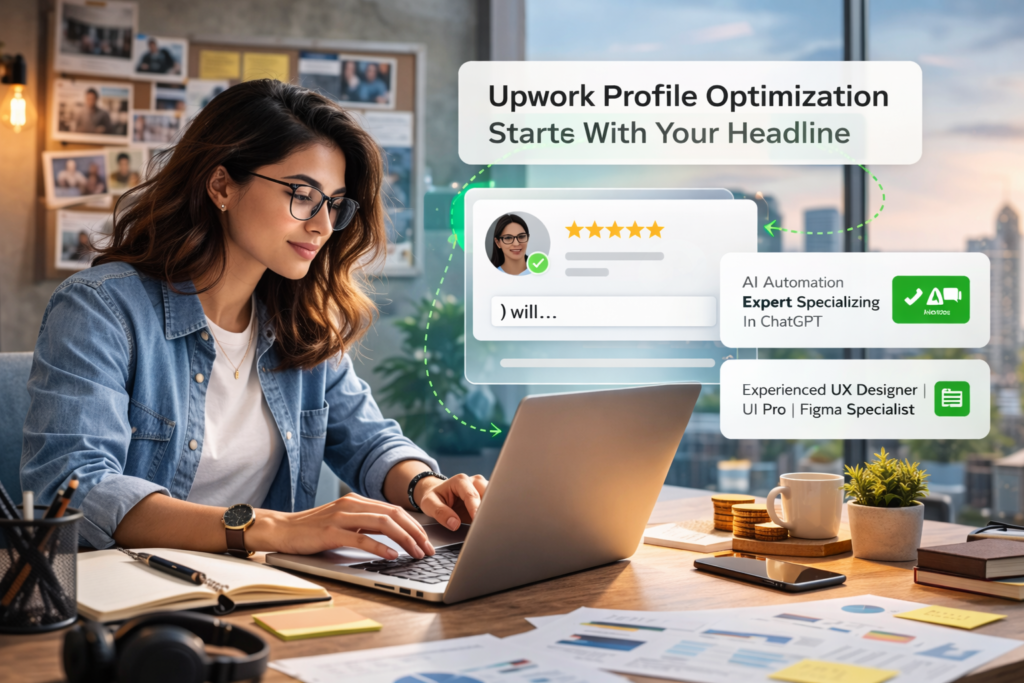
If there is one field where Upwork profile optimization delivers an outsized return, it is the headline. You have 70 characters to communicate your niche, your value proposition, and the keywords clients are searching for — all in a single line. Most freelancers waste this space on vague descriptions like “Experienced Freelancer” or “Passionate Designer.” Those words tell clients nothing and the algorithm nothing.
Your headline needs to do two things simultaneously: rank in Upwork’s internal search and immediately communicate relevance to the human reading it. The best headlines include a specific role or skill, a target audience or platform, and an outcome or differentiator.
Headline Formula That Works
A reliable structure is: [Specific Role] | [Target Audience or Platform] | [Key Outcome or Differentiator]
| Weak Headline | Optimized Headline |
|---|---|
| Experienced Web Developer | Shopify Developer for DTC Brands | Speed & Conversion Optimization |
| SEO Specialist | B2B SaaS SEO Strategist | Organic Traffic & Lead Generation |
| Content Writer | HealthTech Blog Writer | SEO-Driven Content That Converts |
| Virtual Assistant | Executive VA for Startup Founders | Systems, Ops & Inbox Zero |
| Graphic Designer | Brand Identity Designer for SaaS & Tech Startups | Figma Expert |
Notice how each optimized headline names a specific type of client, references a platform or context where relevant, and anchors to an outcome rather than a task. Research the exact language your ideal clients use when posting jobs in your niche. Scan job listings, look at how top-performing freelancers in your category write their headlines, and use those patterns as input. Upwork’s official profile tips recommend keeping your headline specific and searchable rather than generic and broad.
Section 3: Writing a Client-Focused Profile Overview
Your overview is the most important piece of written content on your entire Upwork profile. It functions simultaneously as a sales page, a positioning statement, and a demonstration of your communication skills. Clients read it to decide whether to invite you to a job, message you, or move on to the next profile.
The most critical element of overview writing is this: the first two to three lines are all that appear in search result previews before a client clicks to expand. Those opening lines must earn the next thirty seconds of reading. If they do not immediately communicate relevance and value, most clients move on without reading further.
The High-Converting Overview Structure
A well-optimized Upwork overview follows a clear narrative structure that moves the client from recognition of their problem to confidence in your solution.
1. Lead with the client’s problem or outcome (not your background). Open by naming the specific challenge your target client faces, or the outcome they are trying to achieve. This immediately signals that your overview is written for them, not about you.
2. Establish your positioning and specific expertise. After the opening hook, clarify exactly what you do, who you do it for, and what makes your approach distinct. Be specific about your niche and the types of projects you take on.
3. Describe your process briefly. Clients hire freelancers they trust to manage themselves. A two to three sentence summary of how you work — your onboarding process, how you handle revisions, how you communicate — reduces perceived risk and builds confidence.
4. Provide proof with specific results. Include one or two concrete results from past work. Numbers are far more persuasive than adjectives. “Increased organic traffic by 62% in four months” lands very differently than “I deliver excellent SEO results.”
5. Close with a clear call to action. End with a simple invitation for the client to take the next step. Do not leave the overview open-ended.
Overview Mistakes That Kill Conversions
- Starting with “I am a freelancer with X years of experience” — used by the majority of profiles, immediately marks you as generic
- Writing about your passion and enthusiasm without connecting it to client value
- Listing skills without explaining what problems those skills solve
- Using jargon or buzzwords that obscure your actual offer
- Writing an overview that could apply to any client in any industry
- No call to action at the end
Keep your overview between 200 and 500 words. Use short paragraphs and consider subtle formatting to make it scannable. Some successful freelancers use emoji-style headers within their overview to create visual structure — Upwork’s own profile examples highlight this approach as effective for readability.
Section 4: Portfolio Optimization for Maximum Impact
Effective Upwork profile optimization cannot be complete without a strong portfolio section. Upwork’s data makes this clear: freelancers with published portfolio items are hired nine times more often than those without. Yet a surprising number of freelancers either skip the portfolio entirely or upload work samples without any supporting context — both of which waste the most persuasive real estate on the entire profile.
The purpose of your portfolio is not simply to show what you have made — it is to demonstrate the value you created and the thinking that went into it. Clients are not just buying a deliverable. They are buying your judgment, your process, and your ability to solve their specific problem. Your portfolio items should tell that story.
Portfolio Item Structure
For each portfolio entry, move beyond simply uploading a screenshot or file. Structure each item as a mini case study that covers the following elements:
- Context: What was the client’s situation or challenge? What were the constraints?
- Your approach: What specific steps did you take? What decisions did you make and why?
- The outcome: What measurable result was achieved? Use specific numbers wherever possible.
- Tools and skills used: List the platforms, software, and frameworks involved to support keyword matching.
A portfolio item titled “E-commerce Landing Page” with a single screenshot tells a client almost nothing. The same item titled “Shopify Landing Page Redesign — 34% Increase in Add-to-Cart Rate” with a before/after breakdown tells a client everything they need to know about whether you can help them.
Portfolio Curation Strategy
More is not better when it comes to portfolio items. Five highly relevant, well-documented case studies outperform fifteen mediocre work samples every time. Curate your portfolio to align tightly with the type of work you want more of. Use keyword-rich titles for each portfolio item, since Upwork’s search algorithm indexes portfolio titles and improves your overall profile discoverability. For more detailed guidance, Upwork’s official portfolio guide covers best practices across different freelance categories.

Section 5: Skills, Categories, and Keyword Optimization
The skills section of your Upwork profile directly influences where and how often your profile appears in client search results. Upwork allows up to 15 skills per profile, and choosing them strategically — rather than simply listing everything you can do — is a meaningful component of Upwork profile optimization.
Your skills should be chosen based on three factors: relevance to your niche, search volume (what clients are actually searching for), and alignment with the jobs you want to win. Listing 15 broadly diverse skills — SEO, graphic design, web development, copywriting, video editing — signals a generalist with no clear specialty. Listing 10 to 12 highly aligned skills in a single area signals depth and expertise.
Keyword Research for Profile Optimization
Research the language your ideal clients use. The best way to do this is to spend time browsing job listings in your category and noting the specific tools, platforms, frameworks, and outcomes that appear repeatedly. Those recurring terms are your keyword targets. Once you have identified them, embed them naturally in three places: your headline, your overview, and your skills list. This three-point keyword presence is what the Upwork search algorithm uses to determine relevance when a client runs a search.
Category Selection
Upwork organizes freelancers by category and subcategory. Selecting the right category is as important as selecting the right skills. If your category selection is too broad, you compete with a much larger pool of freelancers. Review the available categories carefully and choose the one that most accurately describes the core work you want to take on — not the broadest category that could technically apply.
Section 6: Setting Your Hourly Rate Strategically
Your hourly rate on Upwork is a visible signal that influences both the algorithm and client perception. Setting it too low attracts budget-focused clients who tend to be more demanding, less loyal, and less likely to leave detailed positive reviews. Setting it too high without the profile evidence to support it can cause clients to skip past you entirely.
The right approach as part of your Upwork profile optimization strategy is to research the actual market rate for your specific niche and experience level, then position yourself appropriately — not at the bottom. Look at what Top Rated and Top Rated Plus freelancers in your category charge. That gives you the upper range of what the market supports for credentialed, proven professionals.
Rate Strategy by Experience Stage
| Stage | Strategy | Goal |
|---|---|---|
| New (0–5 reviews) | Competitive but not cheapest in category | Win first contracts, earn initial reviews |
| Growing (5–20 reviews) | Market rate for your skill level | Build credibility, attract quality clients |
| Established (20+ reviews, Top Rated) | Above-market, value-based positioning | Attract premium clients, increase margins |
Remember that Upwork charges a 10% service fee on your earnings. Factor this into your rate so that your effective take-home matches your income goals. Full details on how Upwork’s fee structure works are available on the platform’s freelancer overview page.
Section 7: Certifications, Badges, and Trust Signals
Trust signals are any elements of your profile that reduce client hesitation and increase confidence in your ability to deliver. In a marketplace where clients cannot meet you in person, these signals carry significant weight. Building them systematically is a core part of effective Upwork profile optimization.
Upwork Talent Badges
Upwork awards talent badges to freelancers who meet specific performance thresholds. These badges appear on your profile, your proposals, and your Project Catalog listings — giving clients an immediate, platform-verified signal of your standing.
- Rising Talent: Awarded to new freelancers showing early promise. A great starting point that boosts visibility before you have a Job Success Score.
- Top Rated: Represents the top 10% of talent on Upwork. Requires a Job Success Score of 90% or higher sustained for at least 13 of the last 16 weeks, a complete profile, and minimum earnings of $1,000 in the past 12 months.
- Top Rated Plus: The top 3% of the platform, recognizing proven success on large or long-term contracts.
- Expert-Vetted: The top 1% of talent, requiring a manual screening by Upwork’s talent team.
The path from no badge to Top Rated is the most impactful profile-building journey a new freelancer can focus on. Upwork’s Top Rated badge guide outlines the exact requirements and how to track your progress toward earning it.
ID Verification and External Certifications
Completing Upwork’s ID verification adds a visible trust badge to your profile at no cost — just a few minutes of your time. In categories where clients share sensitive business information, a verified identity is increasingly a baseline expectation. Similarly, if you hold relevant industry certifications — Google Analytics, HubSpot, AWS, Meta Blueprint — adding them to your profile’s certifications section adds keyword signals for search and credibility signals for clients. Review Upwork’s full breakdown of talent badges to understand the complete trust signal ecosystem on the platform.
Section 8: Using Specialized Profiles to Multiply Upwork Profile Optimization Impact
One of the most underutilized tools in Upwork profile optimization is the specialized profile feature. Upwork allows you to create up to two additional specialized profiles on top of your main profile. Each specialized profile has its own unique headline, overview, hourly rate, and portfolio items — and each one is treated as a separate entity in Upwork’s search algorithm.
This means a single Upwork account can effectively compete in two or three distinct niches simultaneously, with each profile fully optimized for its specific target audience, without diluting the clarity of any individual profile. A developer offering both Shopify customization and React web applications can maintain a sharply focused presence in both categories. A content writer serving both healthcare and fintech can present a niche-specific face to each client type without compromising either.
When to Create Specialized Profiles
- When you offer two or more distinct services that target meaningfully different client types
- When your skills span industries where one industry’s clients would be indifferent or put off by the other
- When you want to test a new niche without changing your primary profile
- When your hourly rate should differ between service types
Each specialized profile should be treated with the same level of care as your main profile — its own keyword-optimized headline, a tailored overview written for that specific client type, and a curated portfolio showing only relevant work.
Section 9: Project Catalog and Productized Offerings
Upwork’s Project Catalog allows you to list fixed-scope, fixed-price service packages that clients can browse and purchase without going through the standard proposal process. Think of it as a product listing on your profile — a clearly defined deliverable with a stated scope, timeline, and price, available for direct purchase.
Project Catalog serves multiple strategic purposes within your broader Upwork profile optimization strategy. It provides an additional client entry point for those who prefer the certainty of a defined package. Catalog projects appear in their own search results within Upwork, giving your services additional discoverability. And successful catalog purchases generate reviews that contribute to your Job Success Score and overall profile credibility.
What Makes a Strong Catalog Listing
- An outcome-focused title that names the deliverable and the benefit (e.g., “Shopify Speed Audit + Optimization Report” not just “Website Review”)
- Explicitly defined deliverables — no ambiguity about what the client receives
- A realistic turnaround time you can consistently meet
- Tiered pricing options (basic, standard, premium) that allow clients to self-select their investment level
- Keyword-rich descriptions written in the language your target clients use
Project Catalog is especially powerful for freelancers building their initial review history. Fixed-scope packages tend to produce cleaner contract closures with less friction, which translates to more consistent positive feedback and a steadier trajectory toward Top Rated status.
Section 10: Ongoing Upwork Profile Optimization and Maintenance
The most important mindset shift in Upwork profile optimization is moving from thinking of it as a one-time setup to treating it as a continuous practice. The Upwork algorithm in 2026 actively monitors profile activity and recency signals. Profiles that are regularly updated, actively submitting proposals, and maintaining strong engagement metrics rank higher in search results than static profiles — even if the static profiles have more reviews.
Monthly Profile Optimization Review Habits
- Review your profile’s search appearance data in Upwork’s analytics panel — monitor views, impressions, and which skills are generating traffic
- Update your overview to reflect your most recent work and any new results you can cite
- Add new portfolio items from completed projects, particularly those with strong measurable outcomes
- Refresh your skills list to remove outdated tools and add emerging technologies relevant to your niche
- Check that your availability status is accurate — outdated settings can negatively impact search ranking
Pay attention to which proposals generate the most profile views and which keywords are driving search impressions. If you notice certain terms driving high visibility but low click-throughs, your headline or overview may not be connecting the keyword to a compelling value proposition. The Job Success insights dashboard also gives you a detailed breakdown of exactly which contracts are helping or hurting your score — critical data for maintaining the profile standing that drives long-term search visibility. Staying current through Upwork’s official profile support documentation ensures you are always aligned with the current algorithm.

Common Upwork Profile Optimization Mistakes to Avoid
Even experienced freelancers make profile mistakes that silently suppress their visibility and conversion rates. Most stem from thinking about the profile from the freelancer’s perspective rather than the client’s. Here are the most common errors to audit and fix.
Writing an overview about yourself instead of about the client. Clients do not primarily care about your background — they care about whether you can solve their problem. Lead with their needs, not your credentials.
Trying to appeal to everyone. A profile that targets multiple unrelated niches confuses both clients and the algorithm. Clients looking for a specialist see a generalist. The algorithm cannot accurately categorize you for search. Specificity is a strength, not a limitation.
Leaving sections incomplete. An incomplete profile suppresses your search ranking and signals a lack of professionalism. Upwork’s profile guidelines are clear that completing every section is a prerequisite for talent badges and strong algorithmic placement.
Portfolio items with no context or outcomes. Uploading work samples without explaining the problem, approach, and result is one of the most common missed opportunities. Every portfolio item should tell a story, not just show a screenshot.
Ignoring your availability status. If your profile says you are not available for work, the algorithm deprioritizes it in search. Keep your availability settings current and accurate, even if you are only slightly available for new projects.
Never updating after the initial setup. A profile that has not been touched in a year sends a signal to the algorithm that you are not actively engaged on the platform. Even small, regular updates help maintain your ranking and freshness signals.
Using the same profile for radically different service types. If you offer services that target very different client types, a single profile trying to serve everyone ends up resonating with no one. Use specialized profiles to maintain clarity in each area.
Upwork Profile Optimization Checklist
Use this checklist to audit your current profile and identify the highest-impact improvements to make today.
- ☐ Professional, well-lit headshot with face clearly visible
- ☐ Short video introduction (30–60 seconds) recorded and uploaded
- ☐ Headline is niche-specific, keyword-rich, and outcome-focused (70 characters max)
- ☐ Overview opens with the client’s problem or desired outcome in the first line
- ☐ Overview includes a specific result or proof point with a number
- ☐ Overview ends with a clear call to action
- ☐ At least 3 portfolio items published, each structured as a case study with outcomes
- ☐ Portfolio item titles include relevant keywords
- ☐ Skills list has 10–15 entries tightly aligned with your target niche
- ☐ Hourly rate is at or above market rate for your niche and experience level
- ☐ Employment history and education sections are complete
- ☐ ID verification is completed
- ☐ Relevant external certifications added to certifications section
- ☐ Availability status is set correctly and updated regularly
- ☐ Specialized profiles created for any secondary service niches
- ☐ At least one Project Catalog listing published
- ☐ Profile linked to relevant external accounts (GitHub, LinkedIn, Dribbble, etc.) where appropriate
Frequently Asked Questions About Upwork Profile Optimization
How long does Upwork profile optimization take to show results?
Most freelancers see measurable improvement in profile views and search impressions within two to four weeks of implementing substantive changes. Proposal response rates typically improve faster than search visibility since a stronger overview begins working the moment a client reads your proposal. The full compounding effect — better search ranking and increased invitation rates — usually becomes clear over two to three months of consistent platform activity.
Should I use keywords in my Upwork overview?
Yes, but naturally and purposefully. Upwork’s algorithm scans your overview for keyword relevance, so including the specific terms clients search for in your niche is important for search visibility. However, keyword stuffing makes your overview harder to read and can reduce conversion rates with human visitors. Write for the human reader first. The algorithm rewards clarity and engagement signals, not keyword density alone.
How many portfolio items should I have on Upwork?
Quality matters more than quantity. A minimum of three to five well-documented portfolio items is a strong baseline. Each item should be relevant to the type of work you want more of and structured as a case study with clear context, approach, and outcomes. If you have ten or more items, curate them — show only your best and most relevant work rather than everything you have ever produced.
Can I do Upwork profile optimization if I have no reviews yet?
Absolutely. Profile optimization is especially important for new freelancers because reviews are not yet available to build trust. A polished photo, a compelling headline, a client-focused overview, a strong portfolio of spec or previous work, and complete profile sections can put a new freelancer significantly ahead of experienced freelancers with poorly optimized profiles. Early momentum on Upwork often comes down to profile quality rather than review count.
How often should I update my Upwork profile?
A light review once per month is a good habit — checking your skills list, updating your overview with any new results, adding new portfolio items, and verifying your availability status is accurate. A deeper revision every three to six months is worthwhile when your niche focus, service offerings, or rate structure change. The Upwork algorithm rewards recent activity, so even small regular updates contribute to better algorithmic placement.
What is the fastest single improvement I can make to my Upwork profile?
Rewriting the first two lines of your overview tends to produce the fastest visible improvement in response rates. Since those lines appear in search preview snippets, improving them immediately changes the impression your profile makes before a client even clicks through. Move away from any opening that begins with “I am a freelancer with…” and replace it with a direct statement of the specific outcome you help clients achieve.
How Zenlance Supports Your Upwork Profile Optimization Strategy
Knowing the principles of effective Upwork profile optimization is the starting point. Applying them consistently while managing active client work, writing proposals, and delivering projects is where most freelancers fall short — not because of a lack of knowledge, but because of a lack of time and systems.
Zenlance is built to help freelancers execute their profile and proposal strategy consistently without sacrificing quality or burning out. It helps you track which elements of your profile and proposals are generating responses, so you can make data-driven optimization decisions rather than guessing. It keeps your proposal messaging aligned with your profile positioning across every application. And it gives you the organizational infrastructure to manage client relationships, follow-ups, and contract history in one place — so profile maintenance and ongoing optimization become a sustainable habit rather than a once-in-a-while scramble.