Free AI CRM for Freelancers: Manage Clients, Tasks, and Projects + AI Proposal Generator (2026)
Every freelancer eventually hits the same wall: too many clients, too many open threads, and no single place to track any of it. A free AI CRM for freelancers solves that problem by combining client management, task tracking, project organization, and intelligent automation into one tool — without the subscription cost that makes enterprise CRM platforms out of reach for solo professionals. In 2026, with AI built into the core of the best platforms, the gap between what a freelancer can manage alone and what a full agency operation can handle has narrowed dramatically.
The problem most freelancers face is not a lack of tools — it is too many of the wrong ones. Proposals live in Google Docs. Client notes get buried in email threads. Follow-ups are tracked on sticky notes or forgotten entirely. Project deadlines sit in a calendar that does not connect to anything else. Every one of those disconnected systems is a place where something can fall through the cracks, and something eventually does. A free AI CRM for freelancers replaces that scattered stack with a single organized hub — one where your clients, proposals, tasks, follow-ups, and calendar all talk to each other.
This guide covers everything you need to know about finding and using the right free AI CRM for freelancers in 2026. You will learn what to look for in a platform, how each core feature — AI proposals, automated follow-ups, profile optimization, and Google Calendar integration — saves real time in your workflow, and why Zenlance is the purpose-built answer to every problem on this list. Whether you find clients on Upwork, Fiverr, or through direct outreach, a unified CRM makes the difference between a business that runs and one that grows. By the end, you will have a clear picture of how the right CRM turns a chaotic freelance operation into a clean, scalable system.
Table of Contents
- What Is a Free AI CRM for Freelancers?
- Section 1: Why Every Freelancer Needs a Free AI CRM
- Section 2: Core Features to Look for in a Free AI CRM for Freelancers
- Section 3: Client Management — The Foundation of Any Free AI CRM for Freelancers
- Section 4: Task and Project Tracking in Your Free AI CRM for Freelancers
- Section 5: AI Proposal Generator — Win More Clients Faster
- Section 6: AI Follow-Ups — Never Let a Lead Go Cold
- Section 7: AI Profile Optimizer — Get Found Before the Proposal
- Section 8: Calendar and Google Calendar Integration
- Section 9: Zenlance — The Free AI CRM for Freelancers Built for Everything on This List
- Common Mistakes When Choosing a Free AI CRM for Freelancers
- Free AI CRM for Freelancers Setup Checklist
- Frequently Asked Questions About Free AI CRM for Freelancers
What Is a Free AI CRM for Freelancers?
A free AI CRM for freelancers is a client relationship management platform that costs nothing to use at a meaningful tier and uses artificial intelligence to automate the most time-consuming parts of running a freelance business. The “free” part matters because most traditional CRM platforms — HubSpot, Salesforce, Zoho — are priced for sales teams at companies, not for solo professionals managing ten clients and writing their own proposals at midnight. The “AI” part matters because it is the difference between a digital filing cabinet and a platform that actively helps you win more work.
What separates a genuine free AI CRM for freelancers from a generic contact database is the scope of what it covers. Tracking a client’s email address is table stakes. A true freelancer CRM manages the full lifecycle: from first contact and proposal through active project, invoice, follow-up, and re-engagement. When AI is layered on top of that lifecycle, you get proposals that write themselves from a job description, follow-up messages that are drafted automatically, and profile suggestions that improve your positioning before you ever send an application.
The market in 2026 has produced a handful of tools that come close to this definition, but most still require paid upgrades to access the AI features that actually matter. A genuine free AI CRM for freelancers makes the intelligent features — proposal generation, automated follow-ups, profile optimization — available without a credit card, because those are precisely the features that solo professionals need most and can least afford to pay for separately. That is the standard this guide holds every platform to.

Section 1: Why Every Freelancer Needs a Free AI CRM for Freelancers
The freelance business model creates a specific operational challenge that traditional employment does not: you are simultaneously the service provider, the salesperson, the account manager, and the administrator. Most tools are built for one of those roles. A free AI CRM for freelancers is built for all four, which is why it changes the economics of running a solo business so significantly.
The numbers paint a clear picture. According to DemandSage, 50% of businesses with fewer than 10 employees do not use a CRM at all — which means half of all freelancers are managing client relationships through memory, inbox search, and spreadsheet rows. That approach works until it does not, and the failure mode is usually losing a client because a follow-up was missed, or wasting hours on a proposal that did not reflect what the client actually needed. A free AI CRM for freelancers eliminates both failure modes.
The right free AI CRM for freelancers does not just store your client data — it actively works to convert more of your leads into contracts and keep more of your existing clients coming back.
Research shows that freelancers who adopted AI tools reported 42% more client interactions per week compared to those managing communications manually. That gap compounds over time: more interactions mean more opportunities to win work, more reviews, and a stronger profile that attracts better clients. The cost of not using a free AI CRM for freelancers is not just administrative inconvenience — it is measurable lost revenue.
The Four Problems a Free AI CRM for Freelancers Solves
| Problem | What Happens Without a CRM | What a Free AI CRM for Freelancers Does Instead |
|---|---|---|
| Scattered client information | Details buried across email, notes apps, and memory | Centralized client profiles with full history and context |
| Missed follow-ups | Leads go cold; potential clients hire someone else | AI drafts and schedules follow-ups automatically |
| Slow, generic proposals | Hours spent writing; lower conversion rate | AI generates tailored proposals from job descriptions in seconds |
| Disconnected scheduling | Double bookings; calendar chaos across tools | Integrated calendar synced with Google for real-time visibility |
Section 2: Core Features to Look for in a Free AI CRM for Freelancers
Not every tool that calls itself a free AI CRM for freelancers delivers on all parts of that description. Some are free CRMs with AI bolted on as a premium upsell. Others are AI tools that lack the CRM infrastructure to actually manage ongoing client relationships. When evaluating any platform, these are the features that need to be genuinely present on the free tier to matter.
- Client management: Full contact profiles with communication history, project status, notes, and tags — not just a name and email field.
- Task and project tracking: The ability to assign tasks to clients or projects, set deadlines, and see everything that is due across your entire business in one view.
- AI proposal generator: A tool that reads a job description or brief and produces a tailored, professional proposal draft — not just a template with blanks to fill in.
- AI follow-up automation: Drafted or scheduled follow-up messages based on where each client is in the pipeline, without you having to remember to send them.
- AI profile optimizer: Suggestions or rewrites that strengthen your freelance profile on platforms like Upwork to improve visibility and response rates before you ever send a proposal.
- Calendar integration: Two-way sync with Google Calendar so your deadlines, meetings, and project milestones appear where you already manage your time.
A free AI CRM for freelancers that checks all six boxes is rare — which is exactly what makes Zenlance different from the generic CRM options that dominate search results. Platforms like Ahrefs consistently highlight keyword-rich profile optimization as one of the highest-leverage activities for freelancers trying to get found organically on marketplace platforms. Most platforms give you one or two of these features and charge for the rest. The right free AI CRM for freelancers treats all six as essential and builds them into the core experience.
Section 3: Client Management — The Foundation of Any Free AI CRM for Freelancers
Client management is the core function that every free AI CRM for freelancers is built around, and the quality of this feature determines how useful the rest of the platform is. A contact database that stores names and email addresses is not client management — it is an address book. True client management in a free AI CRM for freelancers means having a complete, organized record of every interaction, project, proposal, and outcome for every person you have ever worked with or pitched.
The practical value shows up in the moments when a client reaches back out after several months. Without a CRM, you are searching through old email threads trying to reconstruct what you discussed, what you built, and what the working relationship was like. With a free AI CRM for freelancers, you open their profile and see the full history in seconds — every conversation, every deliverable, every note you made about their preferences and communication style. That context lets you respond immediately and professionally instead of stalling while you piece together the backstory.
What Strong Client Management Looks Like in Practice
The best client management features in a free AI CRM for freelancers include pipeline stages that let you see at a glance where each client relationship stands — whether they are a new lead, an active client, a completed project awaiting review, or a past client worth re-engaging. Communication history is logged automatically so you do not need to manually record every email. Tags and filters let you segment clients by type, industry, project status, or revenue tier. And notes are attached directly to client profiles rather than floating in a separate app that you have to remember to check.
For freelancers managing five to fifteen active clients at any given time — which is a common range for established solo professionals working on platforms like Upwork or Fiverr — that level of organization is the difference between a business that runs cleanly and one that constantly feels on the verge of dropping something important. A free AI CRM for freelancers makes that organization automatic rather than something you have to maintain manually every day.
Section 4: Task and Project Tracking in Your Free AI CRM for Freelancers
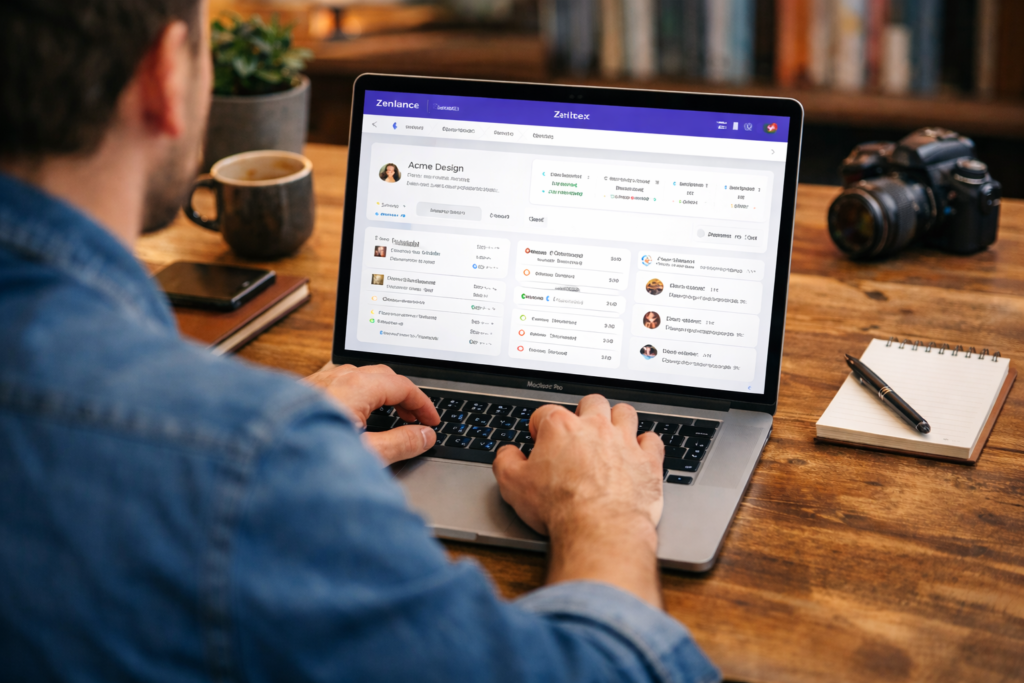
The second pillar of a strong free AI CRM for freelancers is project and task tracking that is connected to your client data — not sitting in a separate tool that you have to cross-reference manually. When your task manager does not know who the client is, you end up with to-do lists that lack context. When your CRM does not track project status, you end up with client profiles that tell you who someone is but not what you owe them or when.
A well-built free AI CRM for freelancers connects tasks directly to the clients and projects they belong to. Every deadline has a client attached. Every project stage is visible alongside the communication history for that client. You can see, at a single glance, which clients have active deliverables due this week, which projects are waiting on client feedback, and which relationships have gone quiet and might need a follow-up.
Task and Project Features That Actually Matter
- Client-linked tasks: Every task belongs to a client or project, so context is always visible alongside the work item
- Milestone tracking: Break larger projects into stages with individual deadlines that give you early warning when something is at risk
- Status visibility: See all active projects and their current stages in one dashboard view — not scattered across separate boards or spreadsheets
- Deadline reminders: Automated alerts for upcoming deadlines so nothing slips during a busy week
- Cross-project overview: A workload view that shows all active commitments across all clients simultaneously, making capacity planning possible
The goal of this feature set in a free AI CRM for freelancers is to eliminate the cognitive load of tracking what you owe to whom and when. When your CRM holds that information automatically, you can focus on doing the work rather than managing the spreadsheet that tells you what the work is.
Section 5: AI Proposal Generator — Win More Clients Faster
The AI proposal generator is the feature that most clearly separates a modern free AI CRM for freelancers from a traditional contact management tool. Writing proposals manually is one of the most time-consuming parts of freelancing — and one of the highest-stakes. A proposal that takes two hours to write and loses is not just a time cost, it is an opportunity cost that grows larger the more proposals you send.
AI proposal generation changes that equation. A freelancer using an AI-powered free AI CRM for freelancers can go from reading a job description to submitting a polished, personalized proposal in minutes rather than hours. According to Upwork’s Freelance Forward research, freelancers who combined AI-generated drafts with personal input achieved 48% higher win rates than those who wrote manually or used unedited AI output alone. The combination of speed and quality is what makes this feature transformative.
How AI Proposal Generation Works in Zenlance
Zenlance’s AI proposal generator reads the job post or project brief, pulls in relevant details from your profile and past work, and produces a tailored draft that addresses the client’s specific requirements. The output is not a generic template — it is a context-aware proposal that opens with the client’s stated problem, demonstrates relevant experience, and closes with a clear next step. You review, personalize, and send. The entire process takes a fraction of the time manual writing requires.
This is one of the features that makes Zenlance the standout choice as a free AI CRM for freelancers: the proposal generator is built into the same platform where you manage your clients, not a separate tool you have to pay for additionally and context-switch into. The client history that informs a better proposal lives in the same system that helps you write it, which means the AI has the context to produce something genuinely useful rather than a generic pitch.
Section 6: AI Follow-Ups — Never Let a Lead Go Cold
Follow-ups are one of the most valuable — and most neglected — parts of freelance business development. Research consistently shows that a significant percentage of deals are won not on the first contact but on a follow-up that arrives at the right moment. Most freelancers know this and still do not follow up consistently, because tracking who to follow up with, when, and what to say requires mental overhead that gets crowded out by active project work.
A free AI CRM for freelancers with built-in AI follow-up automation removes that overhead entirely. Instead of maintaining a mental list of “I should check back in with that client,” the system tracks where each lead and client stands in your pipeline and generates follow-up messages at the appropriate intervals. The AI drafts the message based on the context of the last interaction — so the follow-up references what was previously discussed rather than starting from scratch.
When AI Follow-Ups Make the Biggest Difference
- After sending a proposal: A follow-up 24–48 hours after submission that adds a relevant observation or question without being pushy — Zenlance’s AI drafts this automatically based on the proposal content
- After project completion: A check-in message a few weeks after delivery that opens the door to ongoing work or a referral
- Re-engaging past clients: A personalized outreach to clients who have not commissioned work in 60–90 days, reminding them you are available and referencing past projects
- Responding to inbound inquiries: A fast, professional initial response when a new lead reaches out, generated in seconds from their inquiry details
Zenlance’s AI follow-up feature is one of the key reasons it functions as a genuinely complete free AI CRM for freelancers rather than just a contact organizer. The difference between a freelancer who consistently follows up and one who does not is, over the course of a year, substantial — in both revenue and client retention. Automating that consistency is what turns a good freelance operation into a reliable one.
Section 7: AI Profile Optimizer — Get Found Before the Proposal
Your freelance profile on platforms like Upwork is the first thing a client sees before they ever read a proposal. A weak profile means fewer invitations, lower visibility in search results, and clients who click away before they reach your work samples. An AI profile optimizer built into your free AI CRM for freelancers solves this at the source — improving the words on your profile so that more clients find you and more of them reach out.
Zenlance’s AI profile optimizer analyzes your existing profile text and suggests specific improvements: stronger headline phrasing, more keyword-rich descriptions of your services, tighter summaries of your experience, and clearer value propositions that speak to what clients are actually searching for. This is not generic writing advice — it is platform-specific optimization that understands how Upwork’s search algorithm surfaces profiles and what language converts browsers into inquiries.
The impact of a well-optimized profile compounds over time. Every client invitation you receive because your profile ranked for the right search terms is a proposal opportunity that came to you rather than one you had to chase. A free AI CRM for freelancers that includes profile optimization is not just managing your existing client relationships — it is actively expanding the top of your funnel before you even open the proposal tool. This makes the profile optimizer one of the highest-leverage features in the entire Zenlance platform.
Section 8: Calendar and Google Calendar Integration
A free AI CRM for freelancers without calendar integration is a system that still requires manual synchronization between your CRM and the tool where you actually manage your time. For most freelancers, that tool is Google Calendar — and the friction of keeping two systems aligned is exactly the kind of administrative overhead that makes CRM adoption feel burdensome rather than helpful.
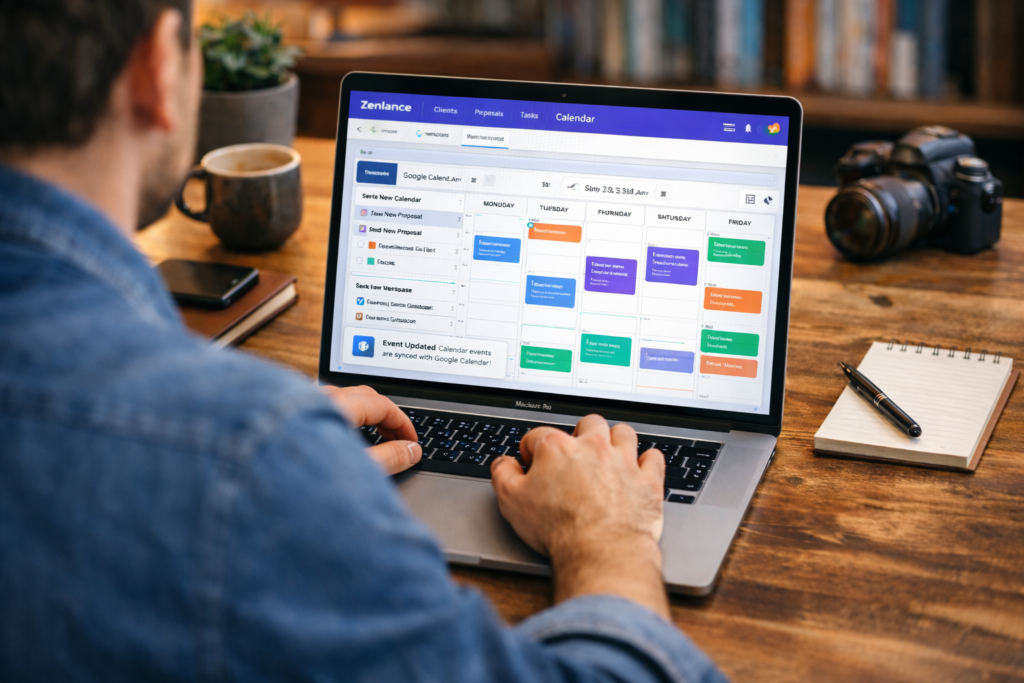
Zenlance’s Google Calendar integration solves this with a two-way sync that makes your CRM and your calendar a single coherent system. Project deadlines appear in Google Calendar automatically. Client meetings booked through your CRM show up without manual entry. When you reschedule something in the calendar, the CRM reflects the change. When a project milestone shifts, both systems update.
What Calendar Integration Enables in Practice
| Without Calendar Integration | With Zenlance + Google Calendar Sync |
|---|---|
| Deadlines in CRM, meetings in Google Calendar — two separate systems to maintain | All events and deadlines in one synchronized view across both platforms |
| Risk of double-booking when new projects are added | Real-time availability visibility prevents scheduling conflicts |
| Manual entry required any time project dates change | Changes propagate automatically between Zenlance and Google Calendar |
| No way to see client context from within the calendar | Click any calendar event to see the full client profile and project history |
This integration is a core part of what makes Zenlance a complete free AI CRM for freelancers rather than just another contact manager. When your CRM knows your schedule, it can also make smarter suggestions — like when to follow up with a client based on your availability, or how to sequence deliverables across multiple active projects without overloading any single week. Calendar-aware CRM is qualitatively more useful than a CRM that operates in isolation from your actual working day.
Section 9: Zenlance — The Free AI CRM for Freelancers Built for Everything on This List
Every feature described in this guide — client management, project tracking, AI proposals, AI follow-ups, profile optimization, and Google Calendar integration — is available in Zenlance, purpose-built as a free AI CRM for freelancers. This is not a general-purpose CRM that freelancers have jury-rigged to fit their workflow. It is a platform designed from the ground up around how freelancers actually work: managing multiple clients simultaneously, writing proposals to win new ones, following up to retain old ones, and keeping everything visible across a calendar that reflects real commitments.
Most platforms that call themselves a free AI CRM for freelancers lock the AI features behind a paid plan. Zenlance does not. The AI proposal generator, AI follow-ups, and AI profile optimizer are all available on the free tier because those are precisely the features that give solo professionals the most leverage — and that are most often out of reach due to subscription costs. That philosophy is what makes Zenlance a genuine free AI CRM for freelancers rather than a freemium contact manager with an upsell wall.
What You Get with Zenlance’s Free AI CRM for Freelancers
- Client management: Full client profiles with contact history, project status, notes, and pipeline stages — all in one organized dashboard
- Task and project tracking: Client-linked tasks, milestone tracking, deadline reminders, and a cross-project overview that shows your full workload at a glance
- AI proposal generator: Context-aware proposals generated from job descriptions in seconds, tailored to your profile and the client’s specific requirements
- AI follow-ups: Automatically drafted follow-up messages triggered by pipeline stage, timing, and interaction history — so no lead ever goes cold by default
- AI profile optimizer: Platform-specific suggestions that strengthen your Upwork profile headline, summary, and service descriptions to improve search visibility and invitation rate
- Google Calendar integration: Two-way sync that keeps your project deadlines, client meetings, and CRM milestones aligned in the calendar you already use
That is the complete stack of a free AI CRM for freelancers — not a collection of disconnected tools, but a unified system where each feature knows about the others. Your AI proposal generator knows your client history. Your follow-up automation knows your proposal status. Your calendar knows your deadlines. That integration is what turns Zenlance from a useful tool into the operational backbone of a professional freelance business.
Common Mistakes When Choosing a Free AI CRM for Freelancers
These are the errors freelancers most often make when selecting a free AI CRM for freelancers — and they are worth knowing before you commit to any platform.
Choosing a tool that locks AI features behind paid plans. Many platforms advertise themselves as a free AI CRM for freelancers but put the AI proposal generator, follow-up automation, and profile tools behind a paywall. Always verify which features are genuinely free before investing time in setup and data entry.
Picking a general business CRM instead of a freelancer-specific one. HubSpot, Zoho, and Salesforce are powerful tools — for sales teams at companies. Their free tiers are not built around the freelance workflow, and adapting them to fit means spending more time on configuration than on client work. The same goes for Fiverr’s seller resources — they recommend purpose-built tools for exactly this reason. A purpose-built free AI CRM for freelancers like Zenlance requires no workarounds.
Treating CRM setup as a one-time task. A free AI CRM for freelancers only works if the data inside it is current. Freelancers who set it up once and stop updating client records lose the value quickly. The habit of logging interactions, updating project status, and keeping pipeline stages accurate is what makes the AI features useful — they depend on accurate data to generate relevant proposals and follow-ups.
Ignoring the calendar integration. Freelancers who use a free AI CRM for freelancers without connecting their Google Calendar are maintaining two separate systems mentally. The integration is what collapses them into one, and skipping it leaves a significant gap in the platform’s usefulness.
Not using the AI profile optimizer before sending proposals. The profile optimizer improves your inbound visibility, which means more client invitations and a stronger credibility signal when clients do view your proposals. Using it after you have already started applying to jobs is better than not using it at all, but starting with a strong profile reduces the number of proposals you need to send in the first place.
Abandoning the platform before the AI learns your patterns. AI follow-up and proposal tools improve with use as they accumulate context about your clients, your writing style, and your conversion patterns. Freelancers who try a free AI CRM for freelancers for a week and conclude it does not work have not given the system enough data to produce its best output. Commit to 30 days of consistent use before evaluating results.

Free AI CRM for Freelancers Setup Checklist
Use this when getting started with any free AI CRM for freelancers platform to make sure you extract maximum value from day one.
- ☐ Verify which features are genuinely free — including AI proposals, follow-ups, and profile optimizer — before entering any client data
- ☐ Import or manually add all existing clients with their current project status, contact details, and last interaction date
- ☐ Set up pipeline stages that reflect your actual client lifecycle (e.g. Lead → Proposal Sent → Active → Completed → Re-engage)
- ☐ Connect Google Calendar integration so deadlines and meetings sync automatically from day one
- ☐ Run the AI profile optimizer on your Upwork (or other platform) profile before sending your first proposal
- ☐ Generate your first AI proposal from a real job description and review how the output compares to your manual drafts
- ☐ Set follow-up triggers for your most common pipeline transitions (e.g. 48 hours after proposal sent, 30 days after project completion)
- ☐ Add all current project tasks and deadlines to the system, linked to the relevant client profiles
- ☐ Check your dashboard daily — not just when something is due — so you maintain a clear picture of your full client portfolio
- ☐ Review your proposal win rate and follow-up reply rate after 30 days to calibrate your AI settings and pipeline stages
Frequently Asked Questions About Free AI CRM for Freelancers
What is the best free AI CRM for freelancers in 2026?
The best free AI CRM for freelancers in 2026 is one that provides all six core features — client management, task tracking, AI proposals, AI follow-ups, profile optimization, and calendar integration — on the free tier without locking key capabilities behind a paywall. Zenlance is the standout option because it was purpose-built for freelancers rather than adapted from a general business CRM, and it makes the AI features available for free rather than treating them as premium upsells.
Can a free AI CRM for freelancers really replace multiple separate tools?
Yes — that is the primary value of a well-built free AI CRM for freelancers. Most freelancers currently use four to six separate tools: a note-taking app for client information, a project management tool for task tracking, a document tool for proposals, a calendar for scheduling, and their email inbox for follow-ups. A platform like Zenlance consolidates all of those into one connected system where every piece of information is accessible from the same place and the AI can use it all together.
Does a free AI CRM for freelancers work on Upwork and other platforms?
A free AI CRM for freelancers like Zenlance is platform-agnostic for client and project management — it works regardless of where you find clients. The AI proposal generator and profile optimizer are specifically designed to support Upwork workflows, producing proposal drafts and profile improvements that align with how Upwork clients evaluate and select freelancers. You can manage clients sourced from Upwork, Fiverr, direct referrals, LinkedIn, or anywhere else within the same CRM.
How does an AI proposal generator in a free AI CRM for freelancers work?
The AI proposal generator in a free AI CRM for freelancers reads the job post or project brief you paste in, combines it with information from your profile and past projects stored in the CRM, and produces a tailored draft that addresses the specific client requirements. The output is a starting point — you review, personalize with any unique context, and send. The AI handles the structure, the positioning, and the bulk of the writing; you add the personal touch that makes it feel human. The result is a proposal that takes minutes instead of hours and converts at a higher rate than a generic manual draft.
Is it safe to store client data in a free AI CRM for freelancers?
Any reputable free AI CRM for freelancers uses industry-standard encryption for data at rest and in transit, and gives you full control over your own data including export and deletion options. Before committing to any platform, review its privacy policy and data handling practices. For Zenlance, client data is stored securely and is never shared with third parties or used to train AI models without explicit consent.
How long does it take to see results from using a free AI CRM for freelancers?
Most freelancers report meaningful improvements in response rate and client organization within the first two to four weeks of consistent use. The AI features — particularly proposal generation and follow-up automation — begin delivering time savings from the very first use. The compounding benefits of better client organization, stronger profile visibility, and consistent follow-ups typically show up in revenue terms within 30 to 60 days of adopting a free AI CRM for freelancers as a core part of your workflow.
Zenlance: The Free AI CRM for Freelancers That Does It All
Putting all of this into practice requires a platform that actually delivers on every feature described in this guide. Zenlance is the free AI CRM for freelancers built for exactly this: managing your clients, tracking your tasks and projects, generating AI proposals that win contracts, automating follow-ups so no lead goes cold, optimizing your profile so more clients find you first, and keeping your calendar synchronized so your schedule always reflects reality.
Most freelancers underestimate how much of their working time goes toward administration rather than billable work. A genuine free AI CRM for freelancers reclaims that time — not by cutting corners, but by automating the repetitive parts of the job so you can focus on the work that only you can do. Zenlance is free to start, purpose-built for solo professionals, and designed to grow alongside your business as your client base and project complexity increase. If you have been managing your freelance business across scattered tools and wondering why it still feels chaotic, this is the system that fixes that.
Recommended Reading
- Upwork Profile Optimization: The Complete Guide to Winning More Clients in 2026
- Upwork Job Success Score: How It Works and How to Improve It in 2026
- Fiverr Gig Optimization: The Complete Guide to Ranking Higher and Selling More in 2026
- How to Write Winning Upwork Proposals
- 10 Proven Ways to Stand Out on Upwork
- Upwork Pricing Strategy Guide
- How to Get Your First Client on Upwork