
Is Upwork Dead in 2026? The Truth Every Freelancer Needs to Know

Is Upwork Dead in 2026? The Truth Every Freelancer Needs to Know If you have spent any time in freelancer forums, Reddit threads, or YouTube comment sections in the last year, you have almost certainly encountered some version of the same question: is Upwork dead? It is one of the most searched questions about the platform in 2026, and the fact that so many freelancers are asking it tells you something important — not that Upwork is dying, but that something real has changed about the experience of working on it. The short answer is no, Upwork is not dead. The platform processed more than $4 billion in gross services volume in 2024, counts 794,000 active clients spending real money on real projects, and generates more annual revenue than ever. Thirty percent of Fortune 100 companies use Upwork to hire talent. The platform was named one of Fast Company’s Most Innovative Companies of 2025. These are not the metrics of a dying platform. But the longer answer — the honest one — is more nuanced. Is Upwork dead? No. Has it gotten significantly harder for a specific type of freelancer? Yes. The competition has intensified, the algorithm has become smarter and stricter, AI has flooded the lower end of the market with cheap alternatives to commodity skills, and the days of sending ten generic proposals and landing three jobs are genuinely over. Upwork has not died. It has evolved — and the freelancers who evolved with it are doing well. The ones who are asking if is upwork dead are often the ones who have not. This post gives you the honest, data-backed answer to the is Upwork dead question in 2026: what the numbers actually say, what has changed and why, who is struggling and who is thriving, and what you need to do to be on the right side of that divide. Table of Contents The Numbers: Is Upwork Dead According to the Data? Section 1: What Has Actually Changed on Upwork in 2026 Section 2: Who Is Struggling on Upwork — and Why Section 3: Who Is Thriving on Upwork in 2026 Section 4: The AI Question — Has Artificial Intelligence Killed Upwork? Section 5: Is Upwork Dead for New Freelancers? Section 6: Is Upwork Dead for Experienced Freelancers? Section 7: Upwork vs. the Alternatives — Is There Somewhere Better? Section 8: What You Need to Do Differently on Upwork in 2026 Section 9: The Verdict — Is Upwork Worth It in 2026? Mistakes That Make Upwork Feel Dead (When It Is Not) Upwork 2026 Viability Checklist Frequently Asked Questions: Is Upwork Dead? The Numbers: Is Upwork Dead According to the Data? Before answering whether is Upwork dead, it is worth looking at what the data actually says rather than what frustrated forum posts claim. The numbers tell a clear story. According to Backlinko’s comprehensive Upwork statistics for 2026, the platform had 794,000 active clients in Q3 2025 spending a combined $4 billion annually, with Upwork generating $511.53 million in revenue in just the first nine months of 2025. Upwork’s 2024 full-year revenue reached $769.33 million — up from previous years — and analysts project revenue to surpass $775 million in 2026. The platform hosts more than 18 million registered freelancers from over 180 countries. Upwork’s market share among freelance marketplaces holds above 60% — more than all major competitors combined. Average freelancer hourly rates on the platform sit around $39 per hour, with specialized developers earning up to $324 per hour for high-value work. These are not the metrics of a platform that is dead or dying. So why do so many freelancers feel like Upwork is dead? The answer lies not in the platform’s overall health, but in a fundamental shift in who the platform rewards. The frustration behind the is Upwork dead question is real — but the diagnosis that Upwork itself is the problem is usually wrong. The problem is almost always a mismatch between what the freelancer is offering and what the platform’s evolved buyer base is willing to pay for. Upwork is not dead — but the version of Upwork that rewarded generic profiles and mass-submitted proposals is. The platform has matured in a way that filters aggressively for quality, specialization, and performance history. Freelancers who built their approach on the old Upwork are experiencing a real, painful shift. Freelancers who adapted are experiencing a real, growing opportunity. Section 1: What Has Actually Changed on Upwork in 2026 The freelancers asking is Upwork dead are usually responding to genuine, real changes — some good, some painful — that have shifted the platform’s dynamics significantly over the past two to three years. Understanding what changed explains why some freelancers are struggling while others are doing better than ever. The Algorithm Got Smarter and Stricter Upwork’s matching algorithm has become significantly more sophisticated in recent years. It now evaluates proposal quality signals, profile completeness and relevance, Job Success Score trajectory, and past engagement patterns to determine which freelancers to surface to which clients. The old days of gaming search results with keyword-stuffed profiles are over — the algorithm now prioritizes demonstrated quality and behavioral signals over text manipulation. This is largely a positive change for skilled freelancers. It is a painful one for those who relied on surface optimization rather than genuine performance. Connect Costs Increased The cost of Connects — Upwork’s internal proposal currency — has risen, and job posts increasingly require more Connects to apply. This has effectively raised the cost of low-quality, high-volume proposal strategies, making mass-submission approaches significantly more expensive. Freelancers who sent 30 generic proposals a week hoping for one response are now facing a real financial penalty for that approach. Freelancers who send eight targeted, high-quality proposals a week are spending roughly the same Connects with dramatically better results. Competition Has Intensified at the Low End The number of registered freelancers on Upwork has grown substantially, and AI tools have made it easier for anyone to
How the Fiverr Algorithm Works in 2026 (Rank Your Gig Faster)
How the Fiverr Algorithm Works in 2026 (Rank Your Gig Faster) The Fiverr algorithm is the most important system on the platform that most sellers never fully understand — and that gap in understanding is directly responsible for gigs that rank on page 8 when they should be on page 1. Sellers who understand what the Fiverr algorithm actually measures, how it weighs different signals, and what causes it to promote or suppress a gig can make deliberate, informed decisions that compound into sustained ranking improvement. Sellers who do not understand it optimize the wrong things, make changes at the wrong times, and then wonder why their impressions are flat and their order queue is empty. The most important thing to know about the Fiverr algorithm upfront is that it has two jobs running simultaneously: it must match buyers with relevant services, and it must prioritize the sellers most likely to deliver a satisfying experience. These are not the same job, and they require different signals. Relevance is determined by your keywords — your title, tags, and description. Performance is determined by what buyers do when they find your gig: do they click on it, do they order, do they come back satisfied? The Fiverr algorithm weighs both categories, and the balance between them shifts over the life of a gig — favoring keywords early when there is no performance data, and favoring performance signals increasingly as your order history builds. This guide explains exactly how the Fiverr algorithm works in 2026: the two core ranking dimensions, every confirmed signal that influences your position, what happens during the honeymoon period that most sellers waste, how click-through rate and conversion rate feed the algorithm, what private feedback does to your ranking without you ever seeing it, and the specific strategies that consistently accelerate gig visibility. Whether your gig has never ranked or has ranked and dropped, this is the framework that explains why — and what to do about it. Table of Contents How the Fiverr Algorithm Actually Works — The Core Mechanism Section 1: The Two Pillars of Fiverr Algorithm Ranking Section 2: Relevance Signals — How the Fiverr Algorithm Reads Your Gig Section 3: Performance Signals — What the Fiverr Algorithm Measures After the Click Section 4: The Honeymoon Period — Your Fastest Ranking Window Section 5: Click-Through Rate — The Most Underestimated Fiverr Algorithm Signal Section 6: Private Feedback — The Hidden Fiverr Algorithm Input Section 7: Seller Level and the Fiverr Algorithm Section 8: Activity, Inactivity, and the Fiverr Algorithm Section 9: How to Rank Your Gig Faster With the Fiverr Algorithm in Mind Common Mistakes That Work Against the Fiverr Algorithm Fiverr Algorithm Optimization Checklist Frequently Asked Questions About the Fiverr Algorithm How the Fiverr Algorithm Actually Works — The Core Mechanism The Fiverr algorithm is Fiverr’s internal search and ranking system that decides which gigs appear in which positions when a buyer types a search query into the platform. Unlike a simple keyword-matching engine, the Fiverr algorithm is a multi-signal system that evaluates hundreds of data points simultaneously — balancing what a gig is about with how well it performs when buyers encounter it. Fiverr does not publish its exact algorithm formula, and it deliberately does not do so because any fully disclosed formula would immediately be gamed by sellers optimizing for the formula rather than for genuine buyer value. What Fiverr has confirmed — through its official community blog, help documentation, and observable platform behavior — is that the Fiverr algorithm is built around two core priorities: matching buyers with relevant services, and surfacing sellers who deliver consistently excellent buyer experiences. One important mechanic that most sellers misunderstand is that the Fiverr algorithm does not maintain fixed ranking positions. According to Fiverr’s official community blog on algorithm ranking, gig positions rotate dynamically — your position can shift significantly within a single day based on real-time performance signals, buyer behavior patterns, and marketplace-level factors like the number of active buyers in your category. This dynamic rotation means that obsessing over your current page position is less useful than focusing on the underlying signals that cause the algorithm to consistently favor your gig in relevant searches. The Fiverr algorithm is not a ranking you achieve and hold — it is an ongoing evaluation of your gig’s relevance and your service quality, recalculated continuously based on how buyers interact with your gig and how satisfied they are with the result. Every order, every click, every review, and every message response feeds the system. The sellers who rank consistently are the ones who optimize the inputs, not those who chase the output. Section 1: The Two Pillars of Fiverr Algorithm Ranking The Fiverr algorithm evaluates every gig across two fundamental dimensions. Understanding these pillars explains why keyword optimization alone never produces sustained ranking results, and why excellent service alone also fails to rank gigs in competitive categories without the right optimization foundation. Pillar 1: Relevance Relevance is how accurately your gig matches what a specific buyer is searching for. The Fiverr algorithm determines relevance primarily through your gig title, search tags, and description content — the text signals that tell the system what your gig is about and which search queries it should appear for. Relevance is the gatekeeper: a gig that is not relevant to a buyer’s search cannot appear in that search result regardless of how good its performance metrics are. Relevance signals are most heavily weighted when a gig is new and has no performance history for the Fiverr algorithm to evaluate. According to Fiverr’s official gig best practices, keeping your gig title and description clear, readable, and relevant to your service has the biggest positive impact on both discoverability and conversion. This is why keyword accuracy is critical for new gigs — not keyword stuffing, but precise alignment between the words buyers actually use in search queries and the words your gig uses to describe itself. Pillar 2: Performance Performance is how well
Fiverr Level System Explained: How to Become Top Rated Seller

Fiverr Level System Explained: How to Become Top Rated Seller Faster (2026) Understanding the Fiverr level system is not optional if you are serious about building a sustainable income on the platform. Your seller level determines how many gigs you can publish, how fast your earnings clear, what support tier you have access to, and — critically — how much trust buyers extend to you before placing an order. A Level 2 seller competing for the same buyer as a New Seller is operating from a fundamentally different position of advantage. And a Top Rated seller operates in an entirely different category of opportunity, trust, and visibility. Most guides to the Fiverr level system stop at the requirements table: here are the numbers, hit them, move up. This one goes further. The Fiverr level system is a layered mechanism — six quantifiable metrics govern the automatic promotions through New Seller, Level 1, and Level 2, but Top Rated status requires something qualitative that no metric can fully capture. It requires a manual review by Fiverr’s evaluation team against four specific pillars. Understanding both the quantitative and qualitative dimensions of the Fiverr level system is what separates sellers who move through it efficiently from sellers who meet the numbers and still do not get promoted. This guide covers the complete Fiverr level system in 2026: how every level works, what the six metrics mean and how to move them, what makes Top Rated different from every other level, how the manual review actually evaluates your account, and the specific strategies that consistently accelerate progression through every tier — from New Seller to the platform’s most prestigious designation. Table of Contents What Is the Fiverr Level System and Why Does It Matter? Section 1: The Six Metrics That Power the Fiverr Level System Section 2: New Seller — Starting Point and Smart First Moves Section 3: Level 1 — Requirements, Benefits, and How to Get There Faster Section 4: Level 2 — The Most Underestimated Step in the Fiverr Level System Section 5: Top Rated Seller — The Manual Review Explained Section 6: The Four Pillars Fiverr Uses to Evaluate Top Rated Candidates Section 7: How to Accelerate Through the Fiverr Level System Section 8: The Success Score — The Hidden Engine of the Fiverr Level System Section 9: How to Protect Your Level and Avoid Demotion Common Mistakes That Slow Progress Through the Fiverr Level System Fiverr Level System Progression Checklist Frequently Asked Questions About the Fiverr Level System What Is the Fiverr Level System and Why Does It Matter? The Fiverr level system is a four-tier seller recognition framework — New Seller, Level 1, Level 2, and Top Rated — that classifies every seller on the platform based on their performance, consistency, and client satisfaction. Each tier unlocks a progressively larger set of capabilities and benefits: more active gig slots, additional gig extras, faster earnings clearance, higher-tier customer support, and greater algorithmic visibility in Fiverr’s search results. According to Fiverr’s official level system documentation, your level is determined by your performance across six key metrics. The Fiverr level system was substantially updated in recent years — removing order completion rate and on-time delivery as direct level criteria and replacing them with the Success Score and a unique clients count. The current system evaluates your performance daily for Level 1 and Level 2 promotions, meaning you can advance any day you qualify — not just on a fixed monthly schedule. The practical impact of the Fiverr level system extends far beyond the badge on your profile. Fiverr’s search algorithm weights seller level as a ranking signal, which means a higher level translates directly into more impressions on your gigs, more organic buyer visibility, and a stronger first impression for any buyer who reaches your profile page. A New Seller and a Level 2 seller with identical gig descriptions are not competing equally in Fiverr’s marketplace — the level creates a visibility gap that cannot be bridged by gig optimization alone. The Fiverr level system is not just a recognition program — it is the infrastructure of your Fiverr business. Every level you advance multiplies your gig capacity, shortens your payment timeline, and expands the trust signal you present to every buyer who finds you. Understanding and deliberately moving through it is one of the most impactful actions any Fiverr seller can take. Section 1: The Six Metrics That Power the Fiverr Level System The Fiverr level system evaluates six specific metrics simultaneously. All six must meet the threshold for your target level at the same time — falling short on any single metric blocks promotion regardless of how strong your other numbers are. Understanding each one prevents the frustrating experience of approaching level-up day thinking you qualify, only to find one metric below threshold. 1. Success Score (Scale of 1–10) The Success Score is the Fiverr level system’s most complex and most important metric. It is a composite evaluation of each of your gigs across six performance areas: client satisfaction, communication quality, cancellations, repeat business, buyer feedback, and overall order experience. Critically, the Success Score is relative — it benchmarks your performance against other sellers in the same price range, not against the entire platform. A seller charging $50 per gig is compared to other $50 sellers. This means you can have a 4.8-star rating and still carry a Success Score of 4 if sellers in your price tier are consistently outperforming you on private feedback, cancellation rates, or revision frequency. The minimum Success Score required by the Fiverr level system is 5 for Level 1, 7 for Level 2, and 9 for Top Rated qualification. 2. Star Rating Your star rating in the Fiverr level system reflects the rolling average of all client-submitted ratings over the past two years. The minimum for Level 1 is 4.7, dropping slightly to 4.6 for Level 2, then returning to 4.7 for Top Rated qualification. This non-linear pattern matters: a seller who dips
How to Price Your Fiverr Gigs Without Undercharging
How to Price Your Fiverr Gigs Without Undercharging (2026 Guide) Knowing how to price your Fiverr gigs is one of the most consequential decisions you will make as a seller on the platform — and it is one that most freelancers get wrong in the same direction: too low. Undercharging is so common on Fiverr that many sellers treat it as inevitable, a beginner tax you pay until reviews accumulate. But the cost of undercharging is higher than most sellers realize, and it extends beyond the obvious loss of income per order. It signals low quality to buyers who use price as a proxy for expertise. It attracts bargain-hunting clients who are hardest to satisfy. It makes your gig unsustainable as a business. How to price your Fiverr gigs correctly is not about picking a number that feels comfortable and hoping it works. It is a structured decision that accounts for your skill level, your category’s market rate, Fiverr’s 20% seller commission, the cost of your time, how your packages create perceived value across three tiers, and how your pricing signal positions you relative to your competition. Get that structure right and your pricing becomes a sales tool rather than a liability. This guide covers everything you need to know about how to price your Fiverr gigs in 2026: the fee math you need to build into every number you set, how to research your category’s going rate, how to build a three-package structure that upsells naturally, how to use gig extras to increase average order value, the psychology behind pricing that converts, and the exact signals that tell you when it is time to raise your rates. Table of Contents The Fee Math You Must Know Before Pricing Anything Section 1: How to Price Your Fiverr Gigs — Start With Market Research Section 2: Calculate Your Minimum Viable Rate Section 3: How to Price Your Fiverr Gigs With a Three-Package Structure Section 4: Gig Extras — The Most Underused Pricing Tool on Fiverr Section 5: Pricing Psychology That Converts Browsers Into Buyers Section 6: How to Price Your Fiverr Gigs by Category Section 7: Beginner Pricing Strategy — Competing Without a Review History Section 8: When and How to Raise Your Fiverr Gig Prices Section 9: Custom Offers — Pricing Work That Does Not Fit Your Packages Common Mistakes When Pricing Fiverr Gigs How to Price Your Fiverr Gigs: Pricing Audit Checklist Frequently Asked Questions About How to Price Your Fiverr Gigs The Fee Math You Must Know Before Pricing Anything Before getting into how to price your Fiverr gigs at any strategic level, you need to understand the fee structure that applies to every order. Many sellers set prices without factoring in Fiverr’s cut — and then wonder why their income feels so much lower than their total sales suggest. Fiverr charges sellers a flat 20% commission on all earnings. This is not tiered or negotiable — it applies to every order, every extra, every tip. If you set a gig at $100, you receive $80. If you set a gig at $50, you receive $40. This fee is deducted automatically before any payment reaches your balance. According to Fiverr’s official gig best practices documentation, understanding the marketplace’s fee structure is a prerequisite to setting any pricing strategy that works. On the buyer side, Fiverr adds a 5.5% service fee to every order, plus a small order fee on purchases under a certain threshold. This means your listed price is not what the buyer pays, which is relevant when considering competitive positioning: your $50 gig costs the buyer approximately $56–$57 after fees, so a competitor priced at $45 represents a noticeably different real cost. The practical implication for how to price your Fiverr gigs: every number you consider should be your desired take-home rate divided by 0.80. If you want to net $60 for a project, your gig price should be $75. If you want to net $100, price at $125. Sellers who price without this adjustment are systematically undercharging by 25% compared to their intentions — often without realizing it. Gig Price Fiverr’s 20% Cut Your Take-Home Target Rate to Net $X $25 $5.00 $20.00 Price $25 to net $20 $50 $10.00 $40.00 Price $50 to net $40 $100 $20.00 $80.00 Price $100 to net $80 $150 $30.00 $120.00 Price $150 to net $120 $250 $50.00 $200.00 Price $250 to net $200 $500 $100.00 $400.00 Price $500 to net $400 The foundational rule of how to price your Fiverr gigs: always start from your target take-home rate and divide by 0.80. Every gig price you set below this calculation is actively leaving money on the table — not as a conscious strategy, but as an accounting error. Section 1: How to Price Your Fiverr Gigs — Start With Market Research Market research is the essential first step in how to price your Fiverr gigs, because your pricing does not exist in isolation — it exists in a search result alongside dozens or hundreds of competing gigs. Buyers compare prices visually before clicking into any individual listing, and your position on that spectrum communicates something about your quality and experience before they have read a single word of your description. How to Research Your Category’s Going Rate Go to Fiverr as a buyer and search the exact keyword your target buyers use to find your service. Look at the first two pages of results — these are the gigs the algorithm currently ranks most highly in your category, which means they represent both the quality standard and the price range that Fiverr considers most relevant for that search. Note the pricing across all three tiers (Basic, Standard, Premium) for the top 10 to 15 gigs. Pay specific attention to: what the Basic package includes at each price point, what distinguishes Standard from Basic, and what the Premium package offers that justifies its price premium. This gives you a three-dimensional picture of the market — not just “what
How to Use Upwork Boosted Proposals to Get More Interviews

How to Use Upwork Boosted Proposals to Get More Interviews (2026) Upwork Boosted Proposals are one of the most misunderstood features on the platform — both overused by freelancers who treat them as a shortcut to interviews and underused by freelancers who dismiss them as a money grab. The truth is somewhere more nuanced: Upwork Boosted Proposals are a genuinely effective visibility tool when deployed strategically on the right jobs, and an expensive drain when used indiscriminately on every job post in your feed. Upwork’s own testing has found that boosting a proposal can increase your chance of being hired by up to 24%. That is a meaningful lift — but only on a proposal that was already strong enough to convert once seen. The fundamental insight about Upwork Boosted Proposals that most freelancers miss is this: boosting solves a visibility problem, not a quality problem. A boosted proposal puts your submission in one of the top four slots that clients see first when they open their proposal list. If your proposal is strong, relevant, and personalized, boosting dramatically increases the chance it gets read at all — because clients rarely scroll through 40 proposals. If your proposal is generic or poorly matched to the job, a boost gets it seen faster and rejected faster. The boost amplifies what is already there. This guide covers the complete system for Upwork Boosted Proposals in 2026: exactly how the auction mechanics work, what you actually pay and when, how to determine which jobs are worth boosting, how much to bid to win a slot without overbidding, how to track whether your boosts are generating ROI, and the strategies that consistently produce more interviews from boosted submissions. Table of Contents What Are Upwork Boosted Proposals and How Do They Work? Section 1: The Auction Mechanics — How Upwork Boosted Proposals Are Decided Section 2: What You Actually Pay — Connect Costs and Refund Conditions Section 3: Eligibility — Why You Cannot Boost Every Proposal Section 4: When to Use Upwork Boosted Proposals — The Right Jobs to Boost Section 5: How Much to Bid — Connect Bidding Strategy Section 6: Writing the Boosted Proposal That Actually Converts Section 7: Tracking Your Upwork Boosted Proposal Performance Section 8: Upwork Boosted Proposals vs. Organic Proposals — When Each Wins Section 9: Building a Sustainable Boosted Proposal Budget Common Mistakes Freelancers Make With Upwork Boosted Proposals Upwork Boosted Proposals Checklist Frequently Asked Questions About Upwork Boosted Proposals What Are Upwork Boosted Proposals and How Do They Work? Upwork Boosted Proposals are a feature that allows freelancers to spend extra Connects — above the base submission cost — to move their proposal into one of four highlighted positions at the top of a client’s proposal list. According to Upwork’s official boosted proposals documentation, when a freelancer boosts a proposal, it appears in one of the top four results slots with a “Boosted” icon next to it — clearly visible to the client as a premium placement. The core mechanic is straightforward: after clients post a job, they open their proposals list to review submissions. Without boosting, your proposal is sorted organically — newer proposals tend to surface first, but the list quickly becomes buried as more freelancers apply. With Upwork Boosted Proposals, your submission appears at the very top regardless of when you applied, giving you disproportionate visibility in a competitive proposal pool. According to Upwork’s official guide on boosting proposals, clients see Boosted Proposals first when they check their job postings — appearing in the first four results slots with the Boosted icon. Boosted proposals are 17% more likely to be seen by clients, and According to Upwork’s own placebo testing documentation, the platform’s internal research has found that boosting can increase your chance of being hired by up to 24%. The Upwork Boosted Proposals system matters because clients genuinely do not read most proposals. When a job receives forty, sixty, or one hundred applications, the proposals that get read in full are overwhelmingly the ones at the top of the list. Organic position in that list is determined by submission timing and Upwork’s matching algorithm — neither of which you can fully control. Upwork Boosted Proposals give you a lever to override organic position with deliberate spend, converting what would otherwise be an invisible submission into a top-four placement that gets seen. Upwork Boosted Proposals solve a specific problem: visibility. They ensure your proposal gets read. They do not solve the other problem — whether your proposal converts a reader into an interview. A boosted weak proposal will be seen and passed. A boosted strong proposal will be seen and acted on. The boost is an amplifier, not a replacement for quality. Section 1: The Auction Mechanics — How Upwork Boosted Proposals Are Decided Understanding how the Upwork Boosted Proposals auction works is essential for using it effectively. The system is not a pay-per-view model where any fixed bid guarantees a result — it is a real-time competitive auction where your placement in the top four slots is determined by your bid relative to other freelancers competing for the same positions. How the Auction Works When you opt to boost a proposal, you set a maximum bid — the number of extra Connects you are willing to spend to secure a top spot. Upwork’s system then compares your bid against all other freelancers who have boosted or are boosting proposals on the same job post. The four highest bids secure the boosted slots. You see the bid range from other freelancers as you set yours — showing you the range of what others are currently bidding — which helps you decide whether to bid competitively or skip the boost for that particular job. The Upwork Boosted Proposals auction closes after seven days or upon the first hire, whichever comes first. After the auction closes, you cannot boost a proposal on the same job post. This creates a time dynamic: bidding on fresh job posts
How to Write a Fiverr Gig Description That Converts Buyers

How to Write a Fiverr Gig Description That Converts Buyers (2026) Your Fiverr gig description is the most important piece of copy on your gig page — more persuasive than your thumbnail image, more decisive than your pricing, and more influential than your profile bio when it comes to turning a browser into a buyer. A weak Fiverr gig description is the single most common reason a gig gets impressions but no orders: the buyer found you, clicked through, read your description, and left without ordering. A strong one does the opposite — it speaks directly to what the buyer needs, demonstrates your capability, and ends with a clear action that converts. The challenge with the Fiverr gig description is that it has to do two jobs simultaneously. It must satisfy Fiverr’s search algorithm to get your gig in front of buyers in the first place — which means using the right keywords in the right places. And it must persuade the specific buyer who lands on your gig to click Order Now rather than navigate back to the search results — which means opening with their problem, not your biography. Most sellers optimize for one or the other. The gigs that dominate their category optimize for both. This guide gives you the complete framework for writing a Fiverr gig description that ranks and converts in 2026: the exact character limits and structural requirements, the five-part description formula used by top-rated sellers, how to research and place keywords without stuffing, how to write a hook that passes the ten-second scan test, the FAQ section strategy most sellers ignore, and ready-to-use templates you can adapt for any category. Whether you are writing your first Fiverr gig description or rewriting an existing one that is not performing, this guide covers everything. Table of Contents What Your Fiverr Gig Description Actually Does (and Why Most Fail) Section 1: Fiverr Gig Description Character Limits and Technical Requirements Section 2: Keyword Research for Your Fiverr Gig Description Section 3: The Five-Part Fiverr Gig Description Formula Section 4: Writing a Hook That Passes the 10-Second Scan Test Section 5: How to Structure Bullet Points in Your Fiverr Gig Description Section 6: The Credibility Signal — Proving You Can Deliver Section 7: The Fiverr FAQ Section — The Overlooked Conversion Tool Section 8: Calls to Action That Actually Drive Orders Section 9: Fiverr Gig Description Templates for Common Categories Common Fiverr Gig Description Mistakes That Kill Conversions Fiverr Gig Description Checklist Frequently Asked Questions About Fiverr Gig Descriptions What Your Fiverr Gig Description Actually Does (and Why Most Fail) Your Fiverr gig description serves two audiences at the same time: Fiverr’s search algorithm, which uses the text to determine relevance to buyer search queries, and the buyer who lands on your gig page after clicking through from search results. Understanding what each audience needs — and how to satisfy both in 1,200 characters — is the foundation of a high-performing Fiverr gig description. Fiverr’s algorithm evaluates your gig description for keyword relevance. According to Fiverr’s official keyword documentation, the algorithm processes your gig title first, then your tags, then your gig description. This means your description is the third-most-important keyword signal in Fiverr’s ranking system — significant, but secondary to your title and tags. The description’s primary contribution to ranking is confirming and reinforcing the keyword signals your title and tags have already established. A Fiverr gig description that contains natural, relevant keyword usage aligned with your title and tags strengthens the algorithm’s confidence that your gig is relevant to the searches it is indexed for. For the buyer, the Fiverr gig description answers the three questions every potential customer has when reading a service listing: Can this person solve my specific problem? Are they qualified to do it? Is it easy and safe to place an order? A description that answers all three questions clearly and quickly converts. One that leads with the seller’s biography, buries the deliverables in a paragraph of text, and ends without any direction to take an action does not — regardless of how good the underlying service actually is. The reason most Fiverr gig descriptions fail is a combination of two errors: they open with “Hi, I’m [name] and I have X years of experience” instead of the buyer’s problem, and they do not use bullet points to make key information scannable. Buyers on Fiverr do not read gig descriptions the way someone reads an article. They scan. According to Fiverr’s official gig best practices, clear, concise descriptions that explain what buyers will receive are among the platform’s top recommendations. A buyer who cannot identify the value of your gig within ten seconds of opening the page will leave. A great Fiverr gig description does not describe you — it describes the buyer’s situation. When a buyer reads your description and thinks “this person understands exactly what I need,” you have already done most of the conversion work before they even look at your pricing. Section 1: Fiverr Gig Description Character Limits and Technical Requirements Before writing a single word, understand the technical constraints that define how your Fiverr gig description works on the platform. The 1,200-Character Limit The Fiverr gig description has a hard limit of 1,200 characters — equivalent to approximately 200 to 240 words. This is not a guideline; it is a platform constraint. Every character counts, and using close to the full 1,200 characters is strongly recommended. A Fiverr gig description that uses only 400 or 600 characters signals low effort to both Fiverr’s algorithm and buyers who are comparing your gig against well-optimized competitors. Sellers who leave significant whitespace in their description are underusing one of the most important conversion and ranking assets on the page. At 1,200 characters, every line of your Fiverr gig description must earn its place. There is no room for long paragraphs of background, extended pleasantries, or vague claims. The character constraint is actually a writing discipline that, once understood,
How to Handle Difficult Clients on Upwork (Without Ruining Your JSS)

How to Handle Difficult Clients on Upwork Without Ruining Your JSS (2026) Dealing with difficult clients on Upwork is one of the most stressful experiences in a freelancer’s career — and the stakes are uniquely high on the platform because every troubled engagement carries the risk of damaging your Job Success Score. A single difficult Upwork client who leaves poor private feedback, triggers a dispute, or causes a contract cancellation can move your JSS in a way that takes months of strong contracts to repair. The problem is not just the immediate friction of the difficult relationship — it is the residual impact on a metric that directly controls your visibility, your access to opportunities, and your ability to maintain Top Rated status. The good news is that difficult clients on Upwork are both more predictable and more manageable than most freelancers realize. The warning signs exist before you accept the contract, the damage-prevention tools exist during the engagement, and Upwork’s own system has built-in protections — including a flagged-client mechanism that can exclude a problematic client’s feedback from your JSS entirely. Understanding how all of these work together is the difference between an isolated difficult experience that teaches you something and a recurring pattern that erodes your reputation. This guide covers the complete framework for handling difficult clients on Upwork in 2026: how to identify red flags before accepting a contract, how to set the structural foundations that prevent most disputes from occurring, how to manage the most common difficult-client scenarios without damaging your JSS, how Upwork’s dispute resolution system actually works and when to use it, and how to recover your JSS if a difficult engagement has already left a mark. Table of Contents Understanding How Difficult Clients on Upwork Affect Your JSS Section 1: Red Flags to Screen for Before You Accept a Contract Section 2: Structural Foundations That Prevent Most Disputes Section 3: Handling Scope Creep on Upwork Section 4: Managing Unresponsive and Ghosting Clients Section 5: Dealing With Unreasonable Revision Demands Section 6: Upwork’s Dispute Resolution System — How It Works Section 7: When and How to End a Contract Early Section 8: Upwork’s Flagged-Client Protection for JSS Section 9: Recovering Your JSS After a Difficult Client Engagement Common Mistakes Freelancers Make With Difficult Clients on Upwork Difficult Clients on Upwork: Protection Checklist Frequently Asked Questions About Difficult Clients on Upwork Understanding How Difficult Clients on Upwork Affect Your JSS Before building a strategy for handling difficult clients on Upwork, you need a clear picture of exactly how a problematic engagement can damage your JSS — because the damage is not always where you expect it. Your JSS is calculated using four factors: client satisfaction (which includes public feedback, private feedback, and end-contract reason), long-term relationships, earnings, and contract recency. Of these, the most dangerous element when dealing with difficult clients on Upwork is the private feedback layer. According to Upwork’s official JSS documentation, private feedback consists of two components collected from the client at contract close: the reason for ending the contract, and a score of 0–10 rating how likely they would be to recommend you to a friend or colleague. You never see this score. The client knows this, and some difficult clients on Upwork will give a publicly acceptable star rating while simultaneously submitting a deeply negative private score that damages your JSS invisibly. This invisible layer is why JSS management with difficult clients on Upwork requires more than delivering good work and hoping for a good review. A client who is publicly polite but privately dissatisfied — because of a miscommunication, an unmet expectation, or simply a difficult personality — can leave a private score that meaningfully moves your JSS downward without any public signal that it happened. Your visible star rating stays intact. Your JSS quietly drops. This is the core asymmetry that makes difficult clients on Upwork uniquely risky compared to difficult clients on other platforms. The end-contract reason is the other invisible damage mechanism. When a client closes a contract, Upwork asks them why. Responses that indicate negative outcomes — “work was not satisfactory,” “freelancer stopped responding,” or any dispute-related closure — feed directly into your JSS as negative signals. A client who closes a contract with a neutral or positive public review but selects a negative end-contract reason is creating JSS damage you cannot see until your score moves. The most dangerous aspect of difficult clients on Upwork is not the public review you can see and potentially respond to — it is the private feedback and end-contract reason that are completely invisible to you. Protecting your JSS means managing the entire client experience, not just the deliverable quality, because both visible and invisible signals feed your score. Section 1: Red Flags to Screen for Before You Accept a Contract The most effective strategy for handling difficult clients on Upwork is not dealing with them after problems arise — it is identifying and avoiding them before the contract begins. The warning signs that predict a difficult client engagement are consistent and learnable. Client Review History Before accepting any contract, review the client’s feedback history from previous freelancers. A pattern of below-average reviews from multiple sellers, repeated complaints about communication or scope, or a significant number of contracts that ended without any reviews at all (which may indicate mutual dissatisfaction) are the clearest predictors of difficult clients on Upwork. A client with a 4.0 average from ten freelancer reviews is telling you something important. Take it seriously. Look specifically for recurring themes in the feedback other freelancers have left. “Expectations changed mid-project,” “paid late,” “difficult to communicate with,” “scope expanded without additional payment” — these phrases appearing in multiple reviews from different contractors about the same client are red flags of the highest order. Vague or Ambiguous Job Descriptions Job posts with extremely vague scope — “I need someone to help with my website” or “Looking for a developer, will explain more later” — are disproportionately associated
How to Build a Freelance Portfolio That Wins Clients in 2026

How to Build a Freelance Portfolio That Wins Clients in 2026 Your freelance portfolio is the single most powerful sales tool you have as a freelancer — more persuasive than your bio, more convincing than your rates, and more decisive than any proposal you will ever write. It is the place where a potential client goes from curious to convinced, from browsing to reaching out. Research consistently shows that freelancers who have published a portfolio are hired up to nine times more often than those who have not. In 2026, with more independent professionals entering the market every month and clients making hiring decisions in minutes rather than hours, a weak or nonexistent freelance portfolio is not just a gap in your profile — it is the reason you are losing work to people who may be less skilled than you. The challenge most freelancers face when building their freelance portfolio is not a lack of skill. It is a lack of clarity about what the portfolio is actually for. A freelance portfolio is not a gallery of everything you have ever done — it is a curated argument for why a specific type of client should hire you for a specific type of work. The freelancers with the most effective portfolios are not necessarily the most experienced. They are the ones who have most clearly answered the question a client silently asks when browsing: “Can this person solve exactly the problem I have?” Every decision in a great freelance portfolio — what to include, how to present it, what to say about each piece, where to host it — is an answer to that question. This guide gives you the complete freelance portfolio blueprint for 2026: what makes a portfolio convert browsers into buyers, how to structure case studies that demonstrate outcomes not just output, how to build a compelling portfolio even if you have no client work yet, where to host it for maximum professional impact, and the specific elements that separate a forgettable portfolio from one that wins consistent work. Whether you are building your first freelance portfolio from scratch or overhauling one that is not performing, this is the framework that works. Table of Contents What Makes a Freelance Portfolio Actually Win Clients? Section 1: Choosing What to Include in Your Freelance Portfolio Section 2: How to Build a Freelance Portfolio With No Client Work Yet Section 3: The Case Study Format — Turning Projects Into Proof Section 4: The Essential Pages Every Freelance Portfolio Needs Section 5: Social Proof — Testimonials and Client Results Section 6: Where to Host Your Freelance Portfolio in 2026 Section 7: How to Use Your Freelance Portfolio on Upwork and Fiverr Section 8: Tailoring Your Freelance Portfolio for Different Clients Section 9: Keeping Your Freelance Portfolio Updated and Active Common Freelance Portfolio Mistakes That Cost You Clients Freelance Portfolio Checklist Frequently Asked Questions About Freelance Portfolio Building What Makes a Freelance Portfolio Actually Win Clients? Most freelance portfolios fail not because the work they contain is bad, but because they are organized around the wrong goal. A portfolio built to impress — to show range, volume, and the breadth of everything a freelancer can do — is a different thing from a portfolio built to convert. Converting a visitor into a client requires answering three questions in the first thirty seconds of someone landing on your page: What do you do? Who do you do it for? Can you prove it? A freelance portfolio that answers all three questions immediately — with a clear headline, a focused set of work samples, and tangible evidence of outcomes — will consistently outperform a longer, more impressive portfolio that takes time and effort to decode. Clients are not studying your portfolio like a gallery visitor. They are making a fast, pattern-matching judgment: “Is this person the right fit for the project I have in mind?” Everything in your freelance portfolio should be optimized for that moment of recognition — the instant when a potential client sees a piece of your work and thinks, “This is exactly what I need.” The second thing that makes a freelance portfolio win clients is specificity. A portfolio that shows you can do everything for everyone convinces no one of anything. A portfolio that shows you have specifically solved the problem a particular type of client has — in their industry, at their scale, with their constraints — makes you the obvious choice rather than one option among many. Specialization in a freelance portfolio is not a limitation. It is a conversion mechanism. The best freelance portfolio is not the most impressive one — it is the most relevant one. A client deciding whether to hire you is not asking “is this person talented?” They are asking “is this person right for my project?” Your portfolio wins when the answer to that question is an immediate, obvious yes. Section 1: Choosing What to Include in Your Freelance Portfolio The most common freelance portfolio mistake is inclusion rather than curation. The instinct — especially for newer freelancers — is to include everything: every project completed, every skill demonstrated, every client served. The result is a portfolio that feels unfocused and unconvincing, because it asks the visitor to do the work of finding the relevant pieces rather than presenting them front and center. Quality Always Beats Quantity Three to five exceptional, well-presented portfolio pieces will consistently outperform a freelance portfolio of twenty mediocre ones. Clients are not looking for evidence that you are prolific — they are looking for evidence that you can deliver the specific type of work they need at a quality level they can trust. A single case study that demonstrates a clear problem, a specific approach, and a measurable outcome communicates more about your capability than a grid of twenty project thumbnails with no context. Start by identifying the three to five pieces of work you are most proud of — pieces that represent the
Fiverr Levels Explained: Seller Levels, Requirements & How to Level Up
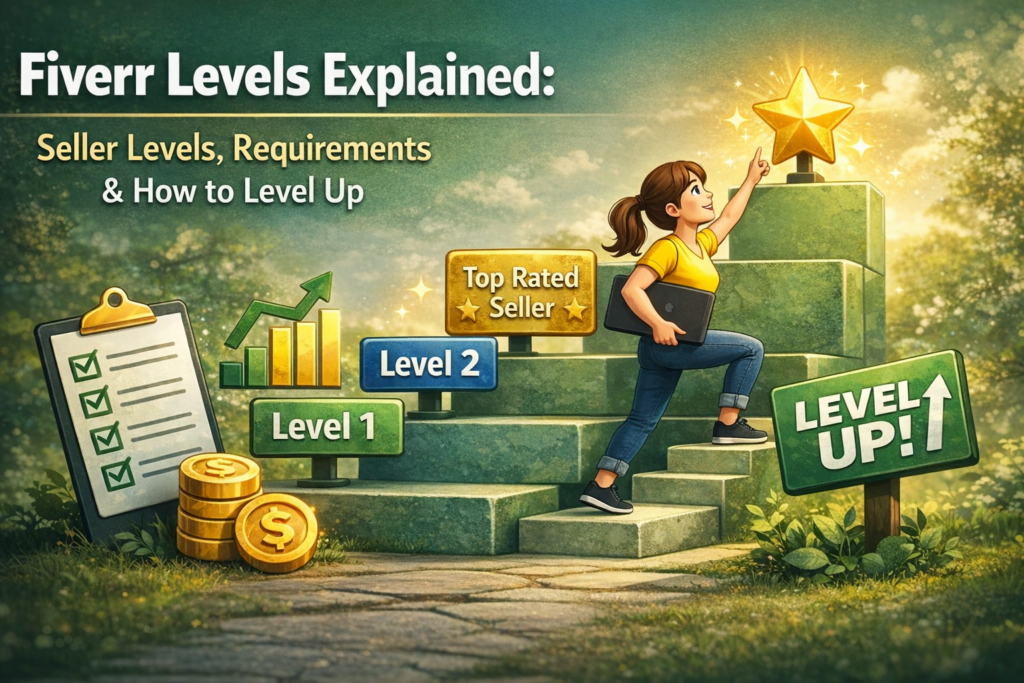
Fiverr Levels Explained: Seller Levels, Requirements & How to Level Up (2026) Understanding Fiverr seller levels is one of the most important things you can do as a freelancer on the platform. Your level affects how many gigs you can publish, which tools you have access to, how fast your earnings clear, what kind of support you receive, and — perhaps most importantly — how much trust buyers extend to you before placing an order. A seller at Level 2 competing for the same buyer as a New Seller is operating with a significantly different set of advantages, and knowing exactly what it takes to move up can turn a slow-growing Fiverr profile into a consistently earning one. The Fiverr seller levels system was significantly updated in recent years, moving away from older metrics like order completion rate and on-time delivery as direct level criteria. The current system is built around six core performance metrics — including the Success Score, a composite metric unique to Fiverr — and introduces daily level mobility, meaning you can level up any day you meet the criteria rather than waiting for a monthly evaluation window. For sellers who understood the old system, some of what you knew has changed. For sellers new to the platform, this guide gives you the complete, current picture. This post covers everything about Fiverr seller levels in 2026: what each level is, the exact requirements for each, the benefits you unlock at every tier, how the Success Score works and why it matters, and the most effective strategies for moving up faster. Whether you are just starting as a New Seller or working toward Top Rated status, this is the guide you need. Table of Contents What Are Fiverr Seller Levels and Why Do They Matter? Section 1: The Six Metrics That Determine Your Fiverr Seller Level Section 2: New Seller — Where Every Fiverr Journey Begins Section 3: Fiverr Level 1 Seller — Requirements and Benefits Section 4: Fiverr Level 2 Seller — Requirements and Benefits Section 5: Top Rated Seller — The Manual Review Process Explained Section 6: Fiverr Success Score — What It Is and How to Improve It Section 7: How Level Mobility Works — Moving Up and the Grace Period Section 8: Seller Plus — Standard and Premium Tiers Explained Section 9: Strategies to Level Up Your Fiverr Seller Level Faster Common Mistakes That Hold Fiverr Seller Levels Back Fiverr Seller Levels Checklist Frequently Asked Questions About Fiverr Seller Levels What Are Fiverr Seller Levels and Why Do They Matter? Fiverr seller levels are a tiered ranking system that Fiverr uses to recognize and reward sellers based on their performance, consistency, and client satisfaction on the platform. There are four levels in the Fiverr seller levels system: New Seller, Level 1, Level 2, and Top Rated. Each level unlocks a progressively larger set of capabilities — more active gigs, more gig extras, faster payment clearance, better customer support, and greater visibility in Fiverr’s search algorithm. According to Fiverr’s official seller levels documentation, the level system is designed to offer sellers more transparency, actionable insights, and a clear view of their progress. For buyers, levels serve as trust signals: a Level 2 seller or Top Rated seller has a verified track record that a New Seller profile cannot display by definition. This trust differential directly affects click-through rates, conversion rates, and the price premium buyers are willing to pay. Fiverr seller levels also gate access to some of the platform’s most powerful growth tools. Seller Plus Standard — which provides advanced analytics, early payouts, and promotional features — is only available to Level 1 sellers and above. Seller Plus Premium — which adds a dedicated Success Manager — requires Level 2 or above. Understanding the Fiverr seller levels system is therefore not just about status: it is about unlocking the tools that make growing your Fiverr business systematically easier. Your Fiverr seller level is not just a badge — it is a multiplier. Every level above New Seller unlocks additional gigs, higher pricing capacity on extras, faster payment clearance, and better support access. The difference between a New Seller profile and a Level 2 profile competing for the same buyer is not just a number. It is a different business. Section 1: The Six Metrics That Determine Your Fiverr Seller Level The current Fiverr seller levels system is built around six performance metrics. Understanding each one is essential because meeting all six simultaneously is required to move up — falling short on any single metric keeps you at your current level regardless of how strong your other numbers are. 1. Success Score The Success Score is Fiverr’s composite performance metric, evaluating each of your gigs across multiple dimensions of the order process and client relationship. It is calculated on a scale of 1 to 10 and is visible only to you — buyers only see your level, not your individual score. According to Fiverr’s official Success Score documentation, the score evaluates six key areas: client satisfaction, communication, cancellations, repeat business, buyer feedback, and the overall quality of the order experience. Scores are calculated per gig, with higher-volume and more recent orders carrying greater weight. 2. Rating Your star rating reflects the average of all ratings provided by clients over the past two years (though your public profile displays your all-time rating). This is the most visible trust signal buyers see when browsing gigs, and maintaining it above the level-specific threshold is a continuous requirement for fiverr seller levels progression. Note that Fiverr updated its rating system as part of the same redesign — ratings between 4.0 and 4.9 are now treated as genuinely trustworthy, removing the pressure of near-perfect scores as the only acceptable outcome. 3. Response Rate Response rate measures how often you reply to new messages within 24 hours over the last 90 days. This metric is tracked continuously and directly affects both your fiverr seller levels standing and your visibility in
How to Follow Up With Freelance Clients Without Being Annoying
How to Follow Up With Freelance Clients Without Being Annoying (2026) The freelance client follow up is one of the most anxiety-inducing tasks in a freelancer’s workflow — and one of the most financially important. Whether you sent a proposal three days ago and heard nothing, delivered a project and the client has gone quiet, or have an invoice that is now two weeks past due, knowing how and when to follow up is the difference between money in your account and a relationship you quietly let go cold. Most freelancers avoid it too long, then overdo it when they finally reach out, and wonder why neither approach seems to work. The uncomfortable truth about freelance client follow up is that most clients who do not respond are not ignoring you out of disinterest — they are busy, their inbox is full, and your message got buried. Research by Woodpecker found that sending just one follow-up email can increase your response rate by 22% — yet the majority of freelancers send only one outreach and then go silent. Clients who would have hired you, paid your invoice, or given you another contract simply never heard from you again — not because they made a deliberate decision to pass, but because no one reminded them you existed. This guide gives you the complete freelance client follow up system for 2026: the right timing for every follow-up scenario, the exact language that gets responses without creating resentment, ready-to-use message templates for proposals, active projects, invoices, and past clients, and the mindset framework that makes follow-up feel natural instead of pushy. Whether you are following up on Upwork, via email, or through any other channel, these principles apply. Table of Contents Why Freelance Client Follow Up Feels Awkward — And Why You Must Do It Anyway Section 1: The Freelance Client Follow Up Mindset Section 2: When to Follow Up — Timing Rules for Every Scenario Section 3: How to Follow Up After Sending a Proposal Section 4: How to Follow Up During an Active Project Section 5: How to Follow Up on an Unpaid Invoice Section 6: How to Follow Up With a Ghosted Client Section 7: How to Follow Up for Repeat Business and Referrals Section 8: Freelance Client Follow Up Templates You Can Use Today Section 9: Building a Freelance Client Follow Up System Common Freelance Client Follow Up Mistakes to Avoid Freelance Client Follow Up Checklist Frequently Asked Questions About Freelance Client Follow Up Why Freelance Client Follow Up Feels Awkward — And Why You Must Do It Anyway The reason freelance client follow up feels uncomfortable for most freelancers is not a lack of skill or confidence — it is a misdiagnosis of what following up signals. Many freelancers have internalized the belief that sending a follow-up message communicates desperation, that a confident professional waits to be called back, and that following up too soon is a sign that you need the work more than the client needs you. None of these beliefs are accurate, and all of them are costing you money. What a well-timed, well-worded freelance client follow up actually communicates is the opposite of desperation: it signals professionalism, organization, and genuine investment in the client’s project. Clients — especially business owners and managers who deal with dozens of vendors and contractors — expect to be followed up with. A freelancer who submits a proposal and never follows up is often perceived not as confident but as disorganized or uninterested. The follow-up is part of the professional process, not an intrusion into it. The practical case for freelance client follow up is equally compelling. Studies indicate that almost 80% of sales leads require at least five follow-ups after the initial meeting — yet nearly half of all salespeople and freelancers give up after just one. The clients who eventually say yes are disproportionately the ones who needed a second or third reminder — not because they were uninterested in the first message, but because they were busy when they received it and intended to respond later. A consistent, respectful freelance client follow up process recovers a meaningful percentage of those otherwise-lost opportunities. Most clients who do not respond to a proposal or message are not saying no — they are saying “not yet” or “I forgot” or “I am buried this week.” A professional freelance client follow up does not push them toward a decision they have already made. It invites them back into a conversation they genuinely intended to have. Section 1: The Freelance Client Follow Up Mindset Before getting into specific timing and templates, the most important thing to establish is the mental frame from which you approach every freelance client follow up interaction. The frame determines the tone, and the tone determines whether your message feels helpful or annoying — regardless of what you actually write. You Are Adding Value, Not Chasing The freelance client follow up that feels pushy is the one written from a place of anxiety: “I need to know if you’re going to hire me,” or “I need you to pay this invoice.” The freelance client follow up that feels professional is written from a place of genuine service: “I want to make sure this project moves forward for you,” or “I am checking in to keep things on track.” The difference is entirely in the orientation — toward the client’s needs rather than your own anxiety. In practice this means that every freelance client follow up message should give the client something: a relevant observation about their project, a quick answer to a question they might have, a specific next step they can take, or simply an easy opening to re-engage without feeling pressured. When your follow-up offers value rather than just requesting a response, the client’s experience of receiving it changes completely. Assume Busy, Not Disinterested The single most useful mindset shift for freelance client follow up is replacing “they are ignoring me” with “they are