
Upwex Free Alternatives: Tools to Replace Upwex at $0
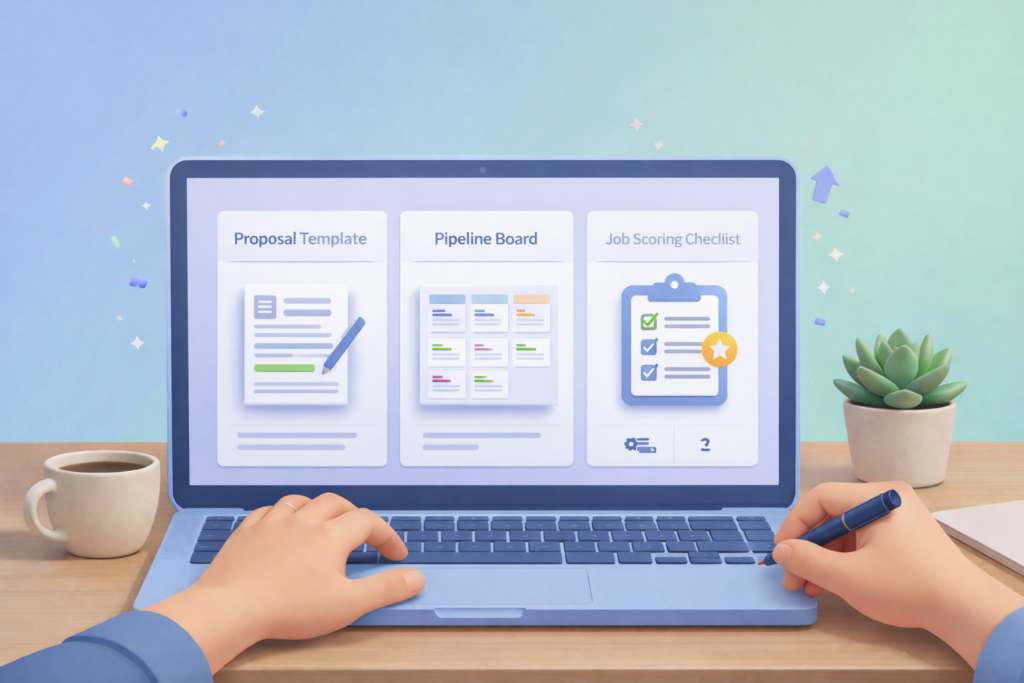
Upwex Free Alternatives: A Practical Guide to Building a $0 Upwork Tool Stack If you use Upwex for Upwork proposals, job analysis, or workflow support, you may eventually ask the same question: are there upwex free alternatives that deliver similar outcomes without a paid subscription? Upwex is positioned as an AI-powered browser extension for Upwork that can help with proposal generation, job post analysis, Q&A assistance, and workflow integrations (including CRM-style tracking). If you only need a portion of those features, you can often replace them with a small set of free tools, templates, and lightweight processes. This guide shows how to evaluate what you actually need from Upwex, which free tools can replace each capability, and how to combine them into a reliable workflow that still helps you respond faster and stay organized. Table of Contents Step 1: Map what you used Upwex for Step 2: Replace proposal generation Step 3: Replace job research and scoring Step 4: Replace Q&A and messaging support Step 5: Replace CRM and pipeline tracking Step 6: Build a $0 stack by freelancer role Step 7: Implementation plan Zenlance workflow tie-in Frequently Asked Questions Quick Summary Key Insight Explanation Upwex is a bundle of features Most freelancers only use one or two core functions; replacing those is simpler than replacing the entire tool. Free stacks work when you standardize Templates + a tracking system can replace “AI convenience” if your workflow is consistent. Job scoring can be manual and fast A 60-second checklist can filter low-quality job posts as effectively as many automated ratings. Proposal speed comes from components Reusable proof snippets, openings, and deliverables sections reduce writing time more than “generic AI text.” CRM does not need to be complex A Trello board or Notion database can handle pipeline tracking for most solo freelancers. Compliance matters Use tools to support drafting and organization; avoid automation that could conflict with platform rules or quality standards. Step 1: Map what you used Upwex for Before you search for upwex free alternatives, define what Upwex actually did in your workflow. Upwex is commonly described as a Chrome extension that supports Upwork job assistance (job analysis), proposal generation, Q&A support, analytics, and CRM-style tracking (including integrations). If you only used one piece of it—such as proposal drafting—you do not need an all-in-one replacement. Start by listing the specific tasks you relied on: Proposal drafting: generating an initial proposal draft quickly. Job post analysis: interpreting scope, flags, budget fit, and whether a post looks worth applying to. Q&A help: answering client questions or job post screening questions. Pipeline tracking: tracking applications, interviews, follow-ups, and wins. Reporting: basic metrics like proposals sent and replies received. Pro tip: Identify your “must-have” versus “nice-to-have.” Most freelancers only need (1) proposal drafting support and (2) a pipeline tracker. Everything else is optional if your targeting and messaging are strong. A simple replacement mapping table Upwex Function What you need in practice Free replacement category Proposal generator Fast first draft + consistent structure Templates + free writing assistant + proof library Job analysis / rating Quick “apply or skip” decision 60-second checklist + scoring sheet Q&A assistant Clear replies that reduce client uncertainty Response templates + clarity tools CRM / pipeline Track opportunities and follow-ups Trello / Notion / HubSpot free CRM Analytics Basic conversion metrics Simple spreadsheet dashboard The fastest way to replace a paid tool is to replace your workflow outcomes, not the feature list. Helpful external references about Upwex’s positioning: Upwex product site (feature overview) Upwex Chrome Web Store listing Step 2: Replace proposal generation with free writing tools and templates If Upwex helped you draft proposals quickly, the replacement goal is straightforward: reduce proposal writing time without sacrificing relevance or quality. In practice, speed comes from a structured proposal template, a proof library, and a light writing assistant to clean up clarity and grammar. What “proposal generation” should do Produce a strong opening that references the job Outline a short plan (2–4 steps) Insert proof (example, outcome, or similar work) End with a clear next step and one question The easiest free replacement is a template system stored in a tool you already use. Free tools to build your proposal system Google Docs: store templates and proof snippets as reusable sections. Notion (free for personal use): keep a proposal component database (openers, proof, deliverables). See Notion’s free plan info. Grammarly (free): basic grammar and clarity checks (useful before sending proposals). See Grammarly’s free/premium guide. External links: Notion pricing (Free plan details) Grammarly free vs premium (feature overview) Pro tip: If you want “AI-like speed,” do not rely on generating new text every time. Instead, build a library of pre-written components and customize only three lines: the opening, the proof line, and the specific deliverables. A reusable proposal template (structure you can keep in Docs or Notion) Opening (2 lines): mirror the client’s goal and add a practical insight. Approach (3 bullets): your step-by-step plan. Proof (1–2 lines): similar project or outcome + link or portfolio reference. Deliverables (3–5 bullets): what they get, in concrete terms. Close (1 question + next step): “If you confirm X, I can start with Y milestone.” Checklist: does your proposal sound like a specialist? Signal What it looks like Why it matters Specific opening References a detail from the job post Shows you read and understood the task Clear plan 2–4 steps, no jargon Reduces uncertainty and builds trust Relevant proof Similar work, outcome, or process artifact Helps clients decide faster Concrete deliverables Files, pages, designs, commits, reports Prevents scope confusion Simple next step One question or a suggested first milestone Makes action easy A “free alternative” that produces consistent proposals is usually a template system, not a tool that writes random text. Step 3: Replace job research and scoring with a simple free framework Upwex is often positioned as offering job post analysis or rating to help you identify better opportunities faster. You can replicate most of this value with a lightweight
How to Get Upwork Clients Fast: Proven 2026 System

How to Get Upwork Clients Fast: A Proven Step-by-Step System If you are applying on Upwork and not getting replies, the issue is rarely “not enough proposals.” In most cases, the problem is mismatch: your profile does not signal a clear specialty, your proposals do not quickly demonstrate relevance, or you are applying to jobs that are unlikely to convert. This guide explains how to get Upwork clients fast using a structured approach you can repeat every week. You will learn how to position your services, optimize your profile for conversion, target the right jobs, write proposals that get interviews, and turn first contracts into repeat work so results accelerate over time. Table of Contents Step 1: Understand how Upwork surfaces freelancers Step 2: Choose a clear market position Step 3: Optimize your profile like a landing page Step 4: Build a job targeting filter Step 5: Write proposals that earn replies Step 6: Handle interviews strategically Step 7: Deliver for reviews and repeat work Step 8: Systemize and optimize weekly Zenlance workflow tie-in Frequently Asked Questions Quick Summary Key Insight Explanation Marketplace visibility is not random Relevance, recent activity, and performance signals influence where you appear and how clients engage. Specialists convert faster than generalists A narrow, outcome-focused offer reduces competition and makes your proposals feel more “obvious” to hire. Profile = landing page Clients decide quickly; clarity, proof, and structure matter more than long introductions. Targeting beats volume Applying to fewer, better-fit jobs increases your interview rate and protects your Connects budget. Retention compounds speed Repeat clients and referrals reduce your need to bid, making growth faster and more predictable. Systems create consistency Templates, tracking, and a weekly review loop outperform motivation and “proposal sprints.” Step 1: Understand how Upwork surfaces freelancers Upwork is a marketplace that relies on relevance and signals. Clients either post a job and review proposals, or they search and invite freelancers. Your goal is to show up where clients are looking and to earn action once they see you. Visibility and response rates are affected by a few practical realities: First impressions happen quickly: clients often scan only a portion of proposals before shortlisting. Relevance wins: your title, overview, skills, and proposal language should match what the client asked for. Performance signals matter: strong outcomes and positive feedback help clients trust you faster. Connects and boosting exist: Upwork offers proposal boosting features, but they work best when your positioning and message are already strong (see Upwork’s guidance on boosted proposals). Client intent varies: some posts are exploratory, some are urgent, and some are unrealistic. If you treat Upwork like a conversion funnel (impression → click → reply → interview → contract), it becomes easier to identify exactly where you are losing clients and fix the right step. Practical takeaway: before you change your pricing or send more proposals, identify your bottleneck. Are clients not viewing your proposals? Not clicking your profile? Not replying? Or are you losing deals after an interview? Each problem has a different solution. Helpful external resources: Upwork Help Center: Understanding and using Connects Upwork Help Center: How to boost your proposal Step 2: Choose a clear market position One of the fastest ways to improve your Upwork results is to stop presenting yourself as “available for anything.” Clients hire faster when you look like the obvious fit for a specific problem. This is not a branding exercise; it is a conversion strategy. A strong market position includes three parts: Niche: who you help (industry, business type, or role) Offer: what you deliver (service, scope, format) Outcome: why it matters (result the client cares about) Examples of clear positioning: “Shopify product page optimization for higher conversion rates” “B2B SaaS blog writing focused on search traffic and lead quality” “Short-form video editing for creators who publish daily” “Bookkeeping cleanup for small e-commerce stores” Pro tip: Pick a position you can prove. If you are new, your proof can be personal projects, internships, volunteer work, or detailed process demonstrations. The key is to show relevant work, not necessarily big brand names. Specialist vs. generalist: why specialists get hired faster Factor Generalist Profile Specialist Profile Client confidence Lower (needs more explanation) Higher (feels like a direct fit) Proposal personalization Harder to sound specific Easier to reference similar work Competition set Very broad Narrower and more relevant Pricing leverage Often pressured downward More room to price for value Repeat work likelihood Lower (one-off tasks) Higher (ongoing needs) Specialization is also consistent with broader guidance on creating helpful, people-first content and clear value communication, which improves trust and reduces ambiguity in decision-making. Helpful external resources: Ahrefs Blog (marketing and positioning principles) Google Search Central: Creating helpful, reliable, people-first content Step 3: Optimize your profile like a landing page Your profile is where many proposals win or lose. A client may like your opening message, click your profile, and decide within seconds whether you appear credible and relevant. Treat your profile like a landing page: clear headline, clear offer, proof, and a simple next step. Profile elements that most impact conversion Title: include niche + outcome (not just your role) First 2–3 lines of overview: state who you help and what result you deliver Proof: portfolio items with context, results, and process Credibility signals: testimonials, certifications (where relevant), tools, and clear working process Call to action: invite the client to share specifics so you can confirm scope Clients do not need your full biography. They need to quickly understand what you do, who it is for, and why you are likely to succeed for them. A practical overview structure you can copy Line 1: “I help [type of client] achieve [result] by [service].” Lines 2–4: your process in 3–5 bullets (fast to scan) Proof: 1–2 short mini case studies (challenge → approach → outcome) Close: “If you share X and Y, I can recommend a plan and timeline.” Pro tip: Avoid listing every service you can do. A tighter offer increases conversion even if it
Ways to Stand Out on Upwork: A Step-by-Step Freelancer Guide

Ways to Stand Out on Upwork: A Step-by-Step Freelancer Guide If you are competing on Upwork, you are not just competing on price. You are competing on clarity, proof, and how quickly a client can trust you. Most freelancers lose opportunities because their profile and proposals look like everyone else’s: generic claims, weak positioning, and no friction-free path for a client to say “yes.” This guide covers practical ways to stand out on Upwork using a repeatable system. You will improve your profile, create a proof-based portfolio, write proposals that match what clients actually scan for, and build a workflow that helps you respond fast without sounding templated. Table of Contents Quick Summary Step 1: Pick a clear positioning (so clients know why you) Step 2: Build a client-first profile that earns trust Step 3: Create proof with a portfolio that matches buyer intent Step 4: Write proposals that get read and get replies Step 5: Price and package for confidence (not confusion) Step 6: Respond like a pro during messages and interviews Step 7: Build a simple system to scale quality and speed Zenlance tie-in: Turn “good intent” into consistent execution Frequently Asked Questions Recommended Image Prompts and Metadata Backlink Opportunities Quick Summary Key Insight Explanation Positioning beats “more skills” Clients hire for outcomes. A narrow, outcome-led niche makes you memorable and easier to trust. Your profile should answer buyer questions Shift from “about me” to “how I help you,” supported by specifics and examples. Proof wins over promises Case studies, samples, and measurable before/after results reduce client risk. Proposals are scanned, not read Open with relevance, mirror the job post, and make the next step obvious. Systems help you respond faster Templates are useful only if they still feel personal; use structured inputs to tailor quickly. Client experience drives repeat work Clear milestones, proactive updates, and good documentation create referrals and long-term value. Step 1: Pick a clear positioning (so clients know why you) One of the most effective ways to stand out on Upwork is to stop trying to look like “a flexible generalist” and start looking like “the obvious choice for a specific outcome.” Clients do not search Upwork for a person. They search for a solution, under time pressure, with uncertainty about quality. Positioning is how you reduce that uncertainty. A strong position makes your profile headline, overview, and proposal feel aligned. It also makes it easier to select the right jobs and say “no” to mismatched ones. Choose an audience: e.g., SaaS startups, Shopify stores, local service businesses, B2B agencies. Choose an outcome: e.g., “increase demo bookings,” “improve Core Web Vitals,” “launch a brand identity in 10 days.” Choose a deliverable: e.g., “landing page redesign,” “monthly bookkeeping,” “Webflow build,” “email sequences.” Choose a differentiator: e.g., speed, industry expertise, process, compliance, tool stack, bilingual support. Translate skills into results: don’t list tools; describe what those tools enable. Rule of thumb: If a client can copy your headline and paste it into 50 other profiles without changing anything, your positioning is too broad. Pro tip: Use a two-line “positioning statement” as your filter before applying. If a job does not fit it, do not apply. This keeps your proposals tighter and improves your response rate. Step 2: Build a client-first profile that earns trust Your profile is not your resume. It is a sales page that must answer: “Can you solve my problem, and can I trust you?” Upwork also provides guidance on building and enhancing profiles and on what strong profiles tend to include, such as complete sections, clear language, and proof elements. Start by making your profile “client-first.” Upwork’s own guidance emphasizes building a solid profile foundation and showing relevant examples rather than writing vague summaries about yourself (Upwork: profile essentials; Upwork: examples of great profiles). Profile checklist (high-impact changes) Title: outcome + niche + deliverable (not just “Developer” or “Designer”). Overview opening: the first 2–3 lines should mirror client intent and the jobs you apply to most. Specialized profiles: create separate narratives for different service lines (if you offer more than one). Portfolio alignment: show 4–8 pieces that match your target jobs, not your entire history. Credibility signals: certifications, platform badges, client testimonials, and relevant tools/process. Complete your profile: aim for a fully filled profile and keep it updated (Upwork includes guidance on completing profiles). Pro tip: Replace “I am a hard-working freelancer” language with specific, verifiable statements: timelines you typically hit, what inputs you need, what outputs clients receive, and what results you have delivered. Write an overview that reads like a decision helper A practical structure: Line 1: Who you help + outcome. Line 2: How you deliver it (method or process). Line 3: Proof (results, representative clients, or a concrete mini-case). Line 4: Next step (what to message you with). Example format (adapt it to your work): “I help Shopify brands reduce cart abandonment by improving checkout UX and performance. Typical deliverables include a checkout audit, prioritized fixes, and A/B test recommendations. Recent work: improved mobile checkout completion with targeted friction removal and speed fixes. Message me your store URL and your goal for the next 30 days.” Make your profile more “helpful content” than “self-promotion” Google’s guidance on creating helpful, reliable, people-first content emphasizes demonstrating experience and trustworthiness (E-E-A-T) through specifics, transparency, and usefulness. These same principles work in a marketplace profile: show what you know, how you work, and what outcomes you produce (Google Search Central: helpful content; Google: E-E-A-T update). Step 3: Create proof with a portfolio that matches buyer intent Many freelancers treat their portfolio like a gallery. Clients treat it like risk reduction. The goal is not to show everything you have done. The goal is to show what you will do for this client, in this category, with outcomes that look familiar. If you do not have client work yet, you can still build proof using: Spec projects: realistic project simulations for a target niche. Before/after breakdowns: show what you changed and why.
Role of Profiles on Upwork: Complete Optimization Guide

Role of Profiles on Upwork: Complete Optimization Guide The role of profiles on Upwork goes far beyond simply listing your skills and experience. Your profile functions as your digital storefront, personal brand statement, credibility signal, and conversion engine—all within one page. Before a client sends an invitation or awards a contract, they evaluate your profile to determine whether you are trustworthy, capable, and relevant. Many freelancers spend hours refining proposals but overlook profile optimization. This creates a visibility gap. Even strong proposals lose impact when supported by a weak profile. Understanding the role of profiles on Upwork allows you to systematically improve visibility, ranking, and conversion rates. This guide explains how Upwork profiles influence search rankings and client decisions, and provides a structured step-by-step process to optimize every section for measurable results. Table of Contents Why Your Profile Matters How Upwork’s Algorithm Uses Profiles What Clients Look for in Profiles Step 1: Position Your Profile Strategically Step 2: Optimize Your Headline for Visibility Step 3: Write a Conversion-Focused Overview Step 4: Strengthen Skills and Portfolio Sections Step 5: Build Social Proof and Trust Signals How Zenlance Streamlines Profile-to-Proposal Workflow Frequently Asked Questions Recommended Why Your Profile Matters The role of profiles on Upwork begins with visibility. Clients use Upwork’s search function to discover freelancers. If your profile is incomplete, poorly optimized, or unclear, you will not appear in competitive search results. Beyond visibility, profiles influence decision-making. According to the Upwork Help Center, a complete and accurate profile improves discoverability and client trust. Clients compare multiple freelancers side by side. Your profile determines whether you move to the shortlist stage. A strong profile achieves three primary objectives: Improves search ranking within Upwork’s marketplace Builds credibility through clear positioning and proof Converts profile views into invitations and contracts A well-optimized profile works continuously in the background, generating inbound invitations even when you are not actively sending proposals. Understanding the role of profiles on Upwork means treating your profile as a strategic asset rather than a static resume. How Upwork’s Algorithm Uses Profiles Upwork’s internal ranking system evaluates multiple profile components. While exact ranking factors are not publicly disclosed, several elements consistently influence visibility. Based on marketplace best practices and official documentation from the Upwork Help Center, profile strength is influenced by: Keyword relevance in title and overview Profile completeness percentage Skills match to client searches Job Success Score (JSS) Recent activity and responsiveness Client feedback and earnings history This reflects a broader principle seen across digital platforms. As explained by Google Search Central, content relevance and clarity significantly affect ranking in search systems. The same principle applies within Upwork’s internal search ecosystem. Profile Strength Checklist Factor Why It Matters Action Step Keyword Relevance Matches client search queries Include niche-specific keywords in headline and overview Profile Completeness Improves ranking and trust Fill every optional section Client Feedback Demonstrates reliability Prioritize quality over quantity of projects Portfolio Quality Shows real-world proof Add 5–8 strong samples Responsiveness Indicates professionalism Reply to messages promptly When optimizing the role of profiles on Upwork, focus on these measurable factors rather than cosmetic changes. What Clients Look for in Profiles Clients typically scan profiles in less than 60 seconds. They look for immediate signals that answer three questions: Does this freelancer specialize in my problem? Can they prove results? Do they appear professional and reliable? According to research from HubSpot, social proof significantly increases buyer confidence. On Upwork, social proof includes reviews, ratings, earnings, and portfolio results. The role of profiles on Upwork is therefore both informational and psychological. Your profile must reduce uncertainty and reinforce competence. Step 1: Position Your Profile Strategically Before editing content, clarify positioning. Many freelancers present themselves as generalists. This weakens search relevance and client clarity. Instead, define: Your primary niche (industry focus) Your core service (specific outcome) Your ideal client type Your competitive advantage Your pricing tier positioning For example, instead of “Web Developer,” use “Shopify Conversion Optimization Specialist for E-commerce Brands.” Specific positioning improves keyword targeting and client resonance. Pro tip: Specialization improves search ranking because niche keywords face less competition and better match client queries. Strategic positioning clarifies the role of profiles on Upwork as a filtering mechanism that attracts qualified leads rather than broad traffic. Step 2: Optimize Your Headline for Visibility Your headline is one of the most important ranking elements. It appears in search results and invitation lists. Effective headline guidelines: Include primary service keyword Keep it outcome-focused Avoid vague claims like “Expert” without context Use vertical bar separators for clarity Stay within character limits Headline Comparison Weak Headline Strong Headline Digital Marketer Facebook Ads Specialist | Lead Generation for SaaS Graphic Designer Brand Identity Designer for Tech Startups The role of profiles on Upwork at the search stage depends heavily on headline clarity. If clients cannot instantly understand your expertise, they will skip your profile. Step 3: Write a Conversion-Focused Overview Your overview functions as your sales page. It must communicate value quickly and clearly. Structure your overview using this framework: Opening hook focused on client problem Brief credibility statement Specific services offered Results or measurable outcomes Clear call-to-action Keep paragraphs short for readability. Use bullet points for services and achievements. Avoid excessive self-description unrelated to client outcomes. Clients hire freelancers who solve problems, not freelancers who describe themselves generically. When discussing the role of profiles on Upwork, the overview is the primary conversion driver. It transforms profile views into project discussions. Step 4: Strengthen Skills and Portfolio Sections The skills section influences search filters. Clients often apply skill filters before viewing profiles. Best practices include: Select only relevant skills Prioritize niche-specific skills over generic ones Regularly update skills based on target projects Align skills with portfolio samples Your portfolio should demonstrate outcomes rather than process. According to Semrush, outcome-focused content increases credibility and conversion. Each portfolio item should include: Project context Client challenge Your solution Results achieved This strengthens the role of profiles on Upwork as evidence-based marketing rather than descriptive listing. Step 5: Build
How to Win Freelancing Jobs

How to Win Freelancing Jobs: A Step-by-Step System Freelancing marketplaces and inbound leads can feel unpredictable: some weeks you are busy, and other weeks you are refreshing job feeds with nothing to show for it. In most cases, the problem is not your skill. It is that clients cannot quickly understand your value, your process, and your fit for their specific project. This guide gives you a practical, repeatable system to win freelancing jobs. You will learn how to choose a winnable niche, position your profile, build proof fast, write proposals that convert, price confidently, and run a client workflow that leads to repeat work and referrals. Table of Contents Step 1: Choose a winnable niche and offer Step 2: Build a profile that answers client questions Step 3: Create a portfolio that proves results Step 4: Find high-intent opportunities consistently Step 5: Write proposals that get replies Step 6: Price and scope for profit, not stress Step 7: Close projects and turn them into repeat work Quick Summary Key Insight Explanation Clients buy clarity They choose the freelancer who explains the plan, timeline, risks, and next steps in plain language. Proof beats promises Small case studies, samples, and before/after examples reduce perceived risk and increase reply rates. Proposals are not resumes Winning proposals focus on the client’s outcome, then match your experience to that outcome. Scope is a sales tool A clear scope, assumptions, and exclusions prevents misunderstandings and protects your time. Follow-up multiplies wins Most freelancers do not follow up. A professional follow-up often triggers replies and closes. Systems create consistency Templates for discovery questions, proposals, and delivery make quality repeatable and scalable. Step 1: Choose a winnable niche and offer To win freelancing jobs consistently, you need a simple positioning statement that makes a client think, “This person does exactly what I need.” A niche is not limiting yourself forever. It is choosing a focused starting point where you can build proof faster and compete on expertise rather than price. Start by combining (1) a specific client type, (2) a specific problem, and (3) a specific deliverable. For example: “Email sequences for Shopify skincare brands” or “Webflow landing pages for B2B SaaS lead gen.” This format helps clients self-qualify and helps you write sharper proposals. Pick one primary service you can deliver repeatedly with high quality. Define your target buyer (industry, size, stage, or role). Choose one measurable outcome (leads, conversions, speed, retention, clarity). Package your work into a clear deliverable (audit, landing page, dashboard, logo system, script, etc.). Create a short list of “ideal project types” you will actively pursue. Pro tip: If you are unsure what to niche into, choose the work you can explain best. The ability to explain the work clearly is often what clients interpret as “expertise,” especially during early conversations. A simple niche selection checklist Question If “Yes,” it is a good sign If “No,” what to do Can I produce a strong result in 7–14 days? Faster proof and testimonials Package a smaller version (audit, MVP, first draft) Can the client measure success? Easier to sell outcomes Define proxy metrics (time saved, reduced errors, clarity) Do I enjoy repeating this work? Higher consistency and less burnout Adjust the offer or audience until it fits Are clients already paying for it? Proven demand Refine to a more common pain point Can I show proof without NDA issues? Stronger portfolio Use anonymized case studies or sample projects Step 2: Build a profile that answers client questions Your profile is a sales page. Clients scan it to answer four questions: What do you do? Who do you do it for? Can you prove it? What happens if I hire you? Marketplaces provide their own guidance on building and improving freelancer profiles. If you work on Upwork, review Upwork’s recommendations for building and enhancing your freelancer profile and use them as a quality baseline for completeness and credibility. Upwork profile essentials and Upwork profile enhancements are useful references for what to include and why. On Fiverr, follow platform guidance on gig structure and best practices. Fiverr gig best practices is a good starting point. Headline: “Role + niche + outcome” (not a long list of skills). Overview: 5–8 short paragraphs: who you help, the problem, your process, proof, and next steps. Specialized services: 3–5 bullet services that match client language. Portfolio: Lead with your best, most relevant examples. Credibility: Certifications, tools, or methods only if they support your offer. Professional details: A consistent name, photo, location/timezone, and response expectations. The fastest way to lose a client’s attention is to make them decode what you do. Make the first two lines of your profile so clear that a client can repeat your value back to you. Profile overview structure you can reuse Line 1: “I help [client type] achieve [outcome] with [service].” Line 2: “If you are dealing with [pain point], I can help.” Process: 3–5 steps you follow (audit → plan → build → review → deliver). Proof: 1–2 mini case study bullets (problem → action → result). Fit: “Best for” and “Not a fit for” statements (reduces bad leads). CTA: Invite a short call or ask 2–3 screening questions. Pro tip: If you are on Upwork, consider setting a custom profile URL for easier sharing and cleaner outreach. Upwork documents how to update a custom profile URL in profile settings. Upwork custom profile URL help Step 3: Create a portfolio that proves results Clients do not need a large portfolio. They need a believable one. A small set of strong, relevant samples beats a long gallery of unrelated work. Your goal is to reduce risk: show that you have solved similar problems and that you have a reliable delivery process. If you lack client work, create “proof projects.” These are realistic samples built around common client scenarios in your niche. For example, if you sell landing pages, create a landing page for a hypothetical product and document the choices you made and
How to Create a Winning Upwork Proposal in 2026

How to create a winning Upwork Proposal In 2026? Winning jobs on Upwork is less about sending more proposals and more about sending better proposals. Clients receive many submissions quickly, and most freelancers are filtered out before a client ever reaches the middle of the page. A winning proposal is clear, skimmable, and specific to the job post—without being long or overly formal. This step-by-step guide explains how to create a winning proposal on Upwork using a repeatable framework you can apply to almost any category. You will learn how to research a job quickly, structure your message so clients can scan it, and close with a next step that increases replies. You will also see where an AI tool like Zenlance AI Proposal Generator fits into the workflow to help you produce consistent, high-quality proposals faster. Table of Contents Step 1: Understand how clients evaluate proposals Step 2: Research the job before you write Step 3: Write a first-3-lines hook that earns the read Step 4: Structure your proposal for skimmability Step 5: Prove fit fast with relevant evidence Step 6: Close with a clear next step Step 7: Improve speed and consistency with tools Zenlance tie-in Frequently Asked Questions Quick Summary Key Insight Explanation Clients skim first Your first lines must match the job post and reduce uncertainty fast. Structure wins attention Short paragraphs and bullet points help clients scan your plan. Evidence beats claims One relevant example is stronger than a long list of skills. Clarity outperforms length Most proposals perform best when they are concise and specific. Consistency matters Tools can help you maintain quality across many proposals. Step 1: Understand how clients evaluate proposals To write proposals that win, you need to understand how clients actually read them. Many clients view proposals on a small screen, switch between candidates quickly, and make decisions based on a few signals. Even when a client is highly motivated, the platform experience encourages fast scanning. Most clients are trying to answer three questions: Do you understand what I need? Can you do it without drama? What is the next step to start? When you design your proposal to answer those questions in order, you reduce friction. That is the core of how to create a winning proposal on Upwork in a competitive marketplace. Pro tip: Treat your proposal like a “preview” of working with you. If it is confusing, wordy, or generic, clients assume your delivery will be the same. Useful references from Upwork can help you align your proposal with platform expectations: Upwork Support: The anatomy of a winning proposal Upwork Support: How to submit a proposal on Upwork Step 2: Research the job before you write Strong proposals start before you type. Research does not need to be time-consuming, but it must be deliberate. The goal is to identify the job’s real objective and the minimum proof you need to show you are a safe choice. Use this quick research checklist before writing: Outcome: What does “done” look like for the client? Constraints: What tools, deadlines, or requirements are named? Context: Is this a one-time task or an ongoing need? Risk: What could go wrong (quality, speed, communication, access)? Decision driver: Are they optimizing for price, speed, expertise, or trust? Then write a one-sentence internal brief. Example: “Client needs a landing page redesign in Webflow, wants faster load time and clearer conversion flow, and needs it within two weeks.” Your proposal should mirror that sentence early. If you cannot summarize the job in one sentence, you are not ready to propose. Optional: if the client’s posting includes a brand, website, or app name, spend two minutes reviewing it. You are not doing deep discovery—just enough to reference something concrete (e.g., “Your current onboarding flow has three steps; I can simplify it to two while maintaining required fields”). Step 3: Write a first-3-lines hook that earns the read The first lines of your proposal should not be an introduction about you. They should be a direct, specific confirmation that you understand the job and can execute it. Think of the opening as a “relevance test.” Here are three opening patterns that work across most Upwork categories: Problem + outcome: “You want to achieve X without Y. I can help by doing Z.” Mirror + method: “You mentioned A and B. I’ll handle this by doing C and D.” Observation + next step: “Based on what you wrote, the quickest win is E. First I would F.” Examples you can adapt (do not copy-paste without changing details): “You need a Shopify product page refresh that improves conversion and keeps the current branding. I can redesign the layout, rewrite key sections, and implement changes without disrupting your theme.” “You’re looking for a Python script to clean and merge CSV data weekly. I’ll build a repeatable pipeline, add logging, and document how to run it so it is reliable long-term.” “You need consistent LinkedIn content focused on B2B leads. I’ll create a 4-week content plan, draft posts in your tone, and include a simple review workflow.” Pro tip: Avoid “Hi, my name is…” and “I am excited…” openings. Replace them with proof of understanding. Step 4: Structure your proposal for skimmability Clients scan. Your formatting either helps them or fights them. A proposal can be short and still feel “dense” if it is one block of text. In 2026, readability is a competitive advantage. Use this simple structure most of the time: 1–2 lines: Personalized opening that mirrors the job 2–4 bullets: Your plan or approach 1 line: Proof (similar project, relevant result, or portfolio piece) 1–2 lines: Call to action + one clarifying question Below is a comparison table showing how clients often perceive different proposal styles: Proposal Style What It Sounds Like Client Reaction Better Alternative Generic template “I can do this job. I have experience.” Skips or assumes low effort Mirror job details + 3-step plan Biography-heavy Long background, unrelated history Stops reading early Relevant example +
Upwork Algorithm Explained: How to Rank & Win More Jobs

Freelancers often describe Upwork as unpredictable. Some weeks bring steady interviews and new contracts, while other weeks produce silence despite similar effort. This inconsistency leads many freelancers to assume that success on the platform is random or dependent on luck. In reality, Upwork is governed by structured ranking and matching systems designed to maximize successful hiring outcomes. These systems are commonly referred to as the “Upwork algorithm.” While Upwork does not publish a technical specification, its behavior is observable through consistent patterns. This guide provides a complete and practical Upwork algorithm explained framework. It is written for freelancers who want to understand not only what affects visibility, but why those factors exist and how to align with them sustainably. The goal is not short-term tricks, but long-term positioning that compounds over time. Table of Contents What the Upwork Algorithm Is Why the Algorithm Exists Step 1: How Search Ranking Works Step 2: Profile Signals That Affect Visibility Step 3: Proposal Performance and Client Engagement Step 4: Job Success Score and Long-Term Trust Step 5: Behavioral Signals and Consistency Step 6: Workflow Optimization at Scale Advanced and Often Ignored Ranking Signals How the Invite System Works How New Freelancers Should Approach the Algorithm Common Myths About the Upwork Algorithm Zenlance Tie-In: Turning Knowledge Into Execution Frequently Asked Questions Quick Summary Key Insight Explanation Upwork optimizes for outcomes Freelancers are ranked based on likelihood of successful contract completion. Relevance precedes reputation A focused profile often outranks a generic profile with more history. Engagement drives exposure Replies, interviews, and hires influence future visibility. Consistency compounds Predictable activity and delivery build long-term trust. Systems outperform effort Structured workflows outperform inconsistent bursts of activity. What the Upwork Algorithm Is The Upwork algorithm is not a single formula. It is a group of interconnected systems that determine which freelancers are shown to clients, in what order, and under which circumstances. These systems affect search results, proposal ordering, invite eligibility, and overall exposure, as outlined in Upwork’s official guidance on how freelancers are discovered by clients. The algorithm does not exist to reward effort, loyalty, or seniority. It exists to protect the client experience. Every ranking decision is ultimately based on one question: how likely is this freelancer to deliver a successful outcome for the client? To answer that question, Upwork evaluates three categories of signals. The first category is relevance, which measures how closely a freelancer matches a client’s immediate need. The second category is trust, which measures historical performance and reliability. The third category is behavior, which measures patterns of responsiveness and consistency. Freelancers who understand these categories stop guessing. Instead of reacting emotionally to fluctuations, they begin optimizing intentionally. Why the Algorithm Exists Upwork serves millions of clients and freelancers across hundreds of categories. Without automated ranking systems, clients would be overwhelmed by choice and hiring would become inefficient. The algorithm exists to reduce friction. It helps clients find suitable freelancers faster, reduces the likelihood of disputes, and increases the chance that clients return to the platform. From a business perspective, Upwork benefits when contracts complete successfully, clients rehire, and freelancers remain active. The algorithm rewards behavior that supports those outcomes. The algorithm is not designed to be fair to freelancers. It is designed to be safe for clients. Step 1: How Search Ranking Works Search ranking determines whether a client ever discovers your profile. Before reviews, ratings, or earnings are considered, the algorithm evaluates relevance. Relevance is calculated using multiple signals. These include keyword alignment between a client’s search query and your profile title, the clarity of your specialization, your selected category and subcategory, and the similarity between your past contracts and the client’s job. Many freelancers attempt to appear versatile by listing multiple services. While this may seem logical, it often reduces search visibility. The algorithm prefers clarity because clarity reduces uncertainty for clients. A narrowly positioned profile sends a stronger signal than a broad one. A freelancer who clearly serves a specific type of client or problem is easier to match and easier to recommend. Search ranking is not permanent. It changes based on recent relevance and performance. Freelancers who update their positioning without consistency often confuse the system. Key takeaway: Your profile should clearly answer who you help, what you do, and what outcome you deliver within seconds. Step 2: Profile Signals That Affect Visibility Once relevance is established, the algorithm evaluates profile quality. This stage answers a different question: if a client clicks this profile, how likely is a successful engagement? Profile completeness is critical. Incomplete or outdated profiles introduce doubt. Even small inconsistencies, such as irrelevant portfolio items or outdated skills, reduce engagement. High-impact profile signals include a clear title, a focused overview, relevant portfolio samples, consistent work history, and logical pricing, all of which are covered in detail in our Upwork profile optimization guide. Portfolios matter not because of aesthetics, but because they provide evidence. Clients want proof that you have solved similar problems before. Profiles that attempt to appeal to everyone often appeal to no one. Focused positioning increases both client trust and algorithm confidence. Step 3: Proposal Performance and Client Engagement Proposals are not shown equally. Upwork tracks how clients interact with proposals and uses that data to inform future visibility, a concept also reinforced in marketplace optimization research published by HubSpot’s sales engagement studies. Engagement signals include whether a proposal is opened, how long it is read, whether the client replies, whether an interview is created, and whether a hire occurs. Proposals that fail to generate engagement gradually reduce a freelancer’s exposure. This is why mass-applying with generic proposals often leads to diminishing returns. High-performing proposals focus on relevance, clarity, and ease of response, which is why freelancers benefit from following a structured approach like the one outlined in our Upwork proposal writing guide. Long proposals filled with credentials often underperform because they create cognitive load. Clear and concise proposals outperform verbose ones. The goal of a proposal is not to win the
What is Freelance Bidding

Introduction What is Freelance Bidding? Freelancing has changed how businesses hire and how independent professionals find work. Instead of posting a job, collecting résumés, and running a long interview process, many clients now post a project and choose from multiple service providers. This selection process is often driven by proposals and pricing submitted by freelancers. That process is called freelance bidding. Freelance bidding is not just “naming a price.” It is how you communicate value, reduce client uncertainty, and prove you can deliver the outcome the client wants. When freelancers treat bidding as a numbers game, they usually end up with low response rates, low-paying clients, and unstable income. When freelancers treat bidding as a professional system, they improve consistency, win better clients, and create a predictable pipeline. This guide explains what freelance bidding is, how it works in real life, the main bidding models, how clients evaluate bids, and the steps you can use to improve your results. It is written to be platform-agnostic, meaning you can apply it on Upwork, Fiverr-style environments, or direct outreach. Table of Contents Step 1: Understand What Freelance Bidding Is Step 2: Learn How Freelance Bidding Works Step 3: Choose the Right Freelance Bidding Model Step 4: Know What Clients Evaluate in a Bid Step 5: Price a Bid Without Racing to the Bottom Step 6: Write a Bid Proposal That Gets Responses Step 7: Qualify Projects Before You Bid Step 8: Build a Repeatable Freelance Bidding Workflow Quick Summary Key Insight Explanation Freelance bidding is a selection system Clients compare proposals to choose the lowest-risk, best-fit freelancer Price is not the only factor Clients also weigh clarity, relevance, proof, and communication Different models fit different scopes Fixed-price, hourly, and value-based bids work in different situations Most bids fail on relevance Generic proposals are filtered out quickly, even when priced low Consistency wins long-term A repeatable workflow improves speed, quality, and win rate Specialists bid higher Niche positioning reduces perceived risk and increases pricing power Step 1: Understand What Freelance Bidding Is Freelance bidding is the process of responding to a client’s project request with a proposal that explains: What you think the client needs (your understanding) How you will deliver it (your plan) How long it will take (your timeline) What it will cost (your price) Why you are a safe choice (your proof) Freelance bidding is different from a traditional job application because the decision is usually faster, the work is outcome-based, and the client is trying to reduce risk quickly. In most cases, the client is not searching for the “best résumé.” The client is searching for the freelancer who seems most likely to deliver without surprises. That is why your bid has two jobs at the same time: it must be persuasive and it must be clear. Persuasive means it makes the client want to pick you. Clear means the client can understand what happens next and what the client gets for the money. Freelance bidding is a risk-reduction message: you are showing the client “this will work, and here is why.” Pro tip: If your bid does not reduce uncertainty, the client will treat it as high risk, even if your price is low. Step 2: Learn How Freelance Bidding Works The exact steps vary by platform, but the real-world bidding cycle usually looks like this: Client posts a project: The client describes the goal, constraints, budget range, and timeline (sometimes poorly). Freelancers evaluate fit: Skilled freelancers say “no” to most projects and focus on strong matches. Freelancers submit bids: Each bid includes an approach and a price (and often a delivery plan). Client filters proposals: The client removes bids that feel generic, confusing, or risky. Client shortlists and asks questions: This might be a short chat, a message thread, or a quick call. Client awards the project: The contract starts and scope is confirmed. A common misconception is that freelance bidding is purely competitive on price. In reality, the client is balancing multiple variables: speed, trust, clarity, expertise, and budget. When a client does not have deep technical knowledge, clarity becomes even more important than credentials. Also, many clients are not “shopping.” They are trying to solve a problem quickly. If your bid reads like you understand the problem and can execute, you become the easier decision. Clients rarely read every word of every proposal. They skim and shortlist fast. Pro tip: Put the most relevant information in the first 2–4 lines of your proposal, because that is where attention is highest. Step 3: Choose the Right Freelance Bidding Model Freelance bidding is not one pricing format. You can bid in different models depending on scope, uncertainty, and the client’s preference. Choosing the wrong model can cause disputes, lost margin, and poor reviews. Fixed-Price Bidding Fixed-price bidding means you quote one total price for a defined set of deliverables. This works best when scope is clear and the outcome can be described precisely. Best for: landing pages, logo packages, one-time deliverables, audits, defined writing work Risk: scope creep if requirements are vague Control: you need a clear definition of “done” Hourly Bidding Hourly bidding means you charge a rate for time worked. This works best when scope is flexible or when the client expects ongoing work. Best for: maintenance, consulting, long-term support, research-heavy tasks Risk: client watches hours closely, rate pressure is common Control: you need time boundaries and regular updates Milestone-Based Fixed Price This is a fixed-price project divided into milestones with partial payments. It reduces risk for both sides and creates a clear delivery sequence. Best for: medium-to-large projects with phases (strategy → draft → revisions → final) Risk: milestone definitions must be specific Control: you can pause after each milestone for approval Value-Based or Outcome-Based Bidding Value-based bidding ties your price to the impact of the outcome, not the hours. This approach requires strong discovery and measurable success criteria. Best for: revenue-driving work, conversion improvements, high-impact consulting Risk: difficult to measure impact if
Top 6 AI Tools for Upwork Freelancers in 2026
Discover 6 AI tools for Upwork freelancers that enhance proposal quality and client management for increased job wins.
How to Get More Clients on Upwork

Building a consistent pipeline on Upwork is less about luck and more about process. Many freelancers send dozens of proposals, change their rates repeatedly, and keep rewriting their profiles, but still see low response rates. The reason is usually not talent. It is positioning, relevance, and trust signals. Upwork is a decision-making environment where clients move quickly, screen for risk, and choose the freelancer who looks like the safest match for a specific outcome. This guide explains how to get more clients on Upwork using a practical system you can repeat every week. It focuses on what clients notice first, what increases shortlisting, and what improves conversion after the interview. You will also learn how to build momentum so results compound over time instead of resetting each month. If you want a complete strategy, read this article end-to-end once, then re-read Step 4 and Step 5 weekly while you apply. That is where most freelancers lose connects and time. When those two steps improve, everything else becomes easier. Table of Contents Step 1: Understand client hiring behavior Step 2: Build a profile that converts Step 3: Choose a clear service positioning Step 4: Filter jobs to protect your connects Step 5: Write proposals that earn replies Step 6: Price and package for trust Step 7: Deliver to earn reviews and repeat work Step 8: Build a repeatable workflow External resources and internal links Quick Summary Key Insight What to Do Clients hire quickly Optimize for fast scanning: strong opening lines, clear services, clear proof. Relevance beats volume Apply to fewer jobs, but match each application tightly to the job post. Your profile is a landing page Lead with outcomes, show proof, and make the next step easy. Pricing signals risk Package work clearly so clients understand scope, timeline, and deliverables. Momentum compounds Use systems for proposals, follow-ups, and delivery so results improve weekly. Step 1: Understand Client Hiring Behavior If you want more clients, you need to align with how clients decide. Most Upwork clients do not read proposals the way freelancers assume. They skim, compare, shortlist, and hire with limited attention. They are managing their own workload, deadlines, and budget. They want a freelancer who reduces effort, reduces uncertainty, and produces a clear outcome. A typical client process looks like this: they post a job, receive proposals quickly, scan the preview lines, open a few profiles, and decide who feels relevant. If your first lines are generic, your proposal may never be opened. If your profile looks unfocused, clients may open it and leave without messaging. The goal is to win the scan, then win the shortlisting decision, then win the interview. Clients use keywords and categories to search for solutions. They judge proposals by the first two lines and the visible signals on your profile. They prefer freelancers who ask clarifying questions and set expectations early. They often hire the freelancer who looks easiest to work with, not the one with the longest résumé. They avoid risk: unclear scope, unclear communication, and unclear accountability. The client’s goal is not to find the “best freelancer.” The client’s goal is to make a safe hire quickly with minimal risk. To use this insight, build everything around clarity. When you consistently remove ambiguity, you improve replies, interviews, and hire rates. This is the foundation of how to get more clients on Upwork without wasting connects. Step 2: Build a Profile That Converts Your profile should function like a sales page, not a biography. Clients do not need your life story. They need to know whether you can solve a specific problem. A high-converting profile is structured, outcome-driven, and proof-based. It reads like you understand the client before you have spoken with them. Start with your headline and the first paragraph. These are the most important elements because they determine whether a client keeps reading. Upwork provides its own guidance on writing your profile title and overview, and it aligns with the same principle: clarity and relevance matter. You can reference the official resource here: Upwork: Your profile title and overview. Headline: lead with the outcome and your niche. Opening paragraph: state who you help, what you deliver, and what “success” looks like. Proof: include portfolio items with context (goal, approach, result) rather than images alone. Process: outline how projects start, what clients can expect, and what you need from them. Credibility: add tools and experience only if they support outcomes. Pro tip: Write your first paragraph so a client can immediately say, “This is exactly what I need.” Use a simple structure in your overview: (1) outcome, (2) who it is for, (3) proof, (4) process, (5) call to action. If you are new, show proof with mock samples, side projects, or short case-style portfolio notes. Do not exaggerate results. Clients respond better to honest scope and clear deliverables than to big claims. Profile Component High Converting Low Converting Headline Outcome + niche Generic role title Overview opening Client problem + promise Personal background Portfolio Context + deliverable + result Images without explanation Services 3–5 clear offers Long list of everything Step 3: Choose a Clear Service Positioning Positioning is the shortcut to trust. A client who sees a specialist is more likely to believe the specialist understands their needs. Many freelancers lose work because they present themselves as “able to do anything,” which makes it hard for clients to know what they are best at. Choose one primary service and one primary client type, then align your profile and proposals to that combination. This is a reliable way to strengthen how to get more clients on Upwork, because clients can quickly place you into a category. Pick a core service you can deliver reliably (and improve quickly with repetition). Define a client type (industry, business model, or use case) you understand well. Use consistent language across headline, overview, and portfolio descriptions. Build 2–4 portfolio samples that match the jobs you want to win. Create a short “service menu”